Start the review
Claim a new posting, assign it to yourself and let the co-signer know an agent is on it.
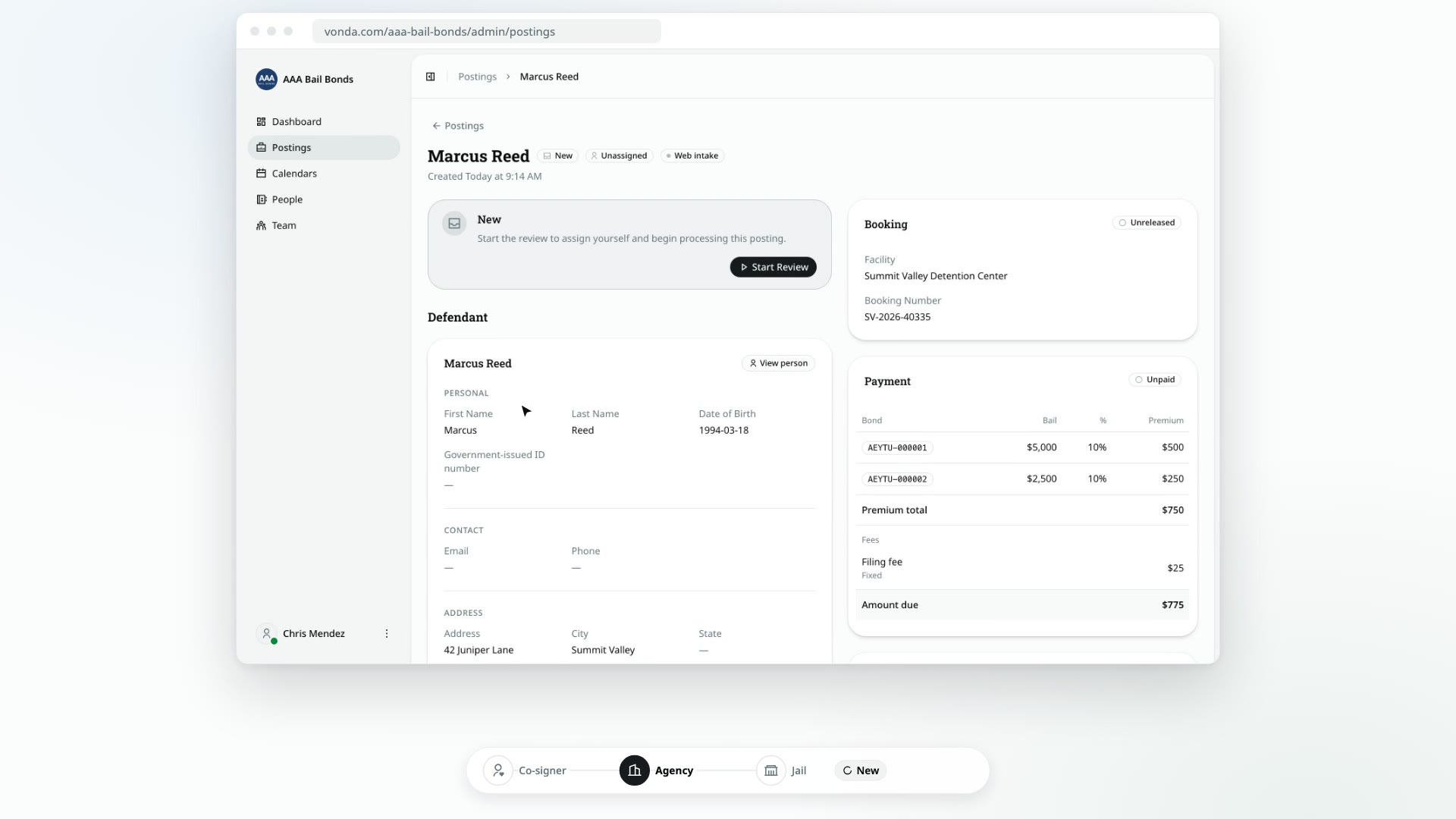
A request from your intake link arrives unassigned, with a New status. Starting the review claims it: the posting is assigned to you, it moves to Reviewing, and the co-signer hears that an agent has picked it up.
Before you start
- The posting is New, or waiting for you. You can start the review on a posting with a New badge, or one an admin assigned to you that shows Start Review. If it's assigned to someone else, only they can start it.
- Admins and agents can both claim postings.
- Manual postings skip this step. A posting you typed in yourself is already assigned to you and Reviewing.
Claim the posting
Open the posting
On the Dashboard, look in the Unassigned lane (or Waiting for agent, if an admin assigned it to you) and click the card.
Click Start Review
The status card at the top of the posting says New or Pending review. Click Start Review.
Confirm
In Start the review?, click Start.
If you're marked off duty, the dialog is titled You are off duty instead and says that claiming the posting also puts you on duty. Click Start: Vonda puts you on duty and claims the posting in one step.
What happens next
- The posting is assigned to you and the status changes to Reviewing. It moves off the Unassigned lane.
- Every co-signer is told by text or email that an agent has started reviewing their request.
- The co-signer's page changes from Request received to Reviewing your information.
Now check what the co-signer sent and fill in the rest. See Correct a posting's details, then Price and approve a posting.
While you review
The status card shows three buttons while the posting is Reviewing:
- Approve: when the posting is ready to be priced and paid. See Price and approve a posting.
- Request Info: when you need something only the co-signer can give you. See Request missing information.
- Request Co-signer: when you need another person to co-sign. See Ask for another co-signer.