Ask for another co-signer
Pause the review until the primary co-signer invites another qualified person to co-sign.
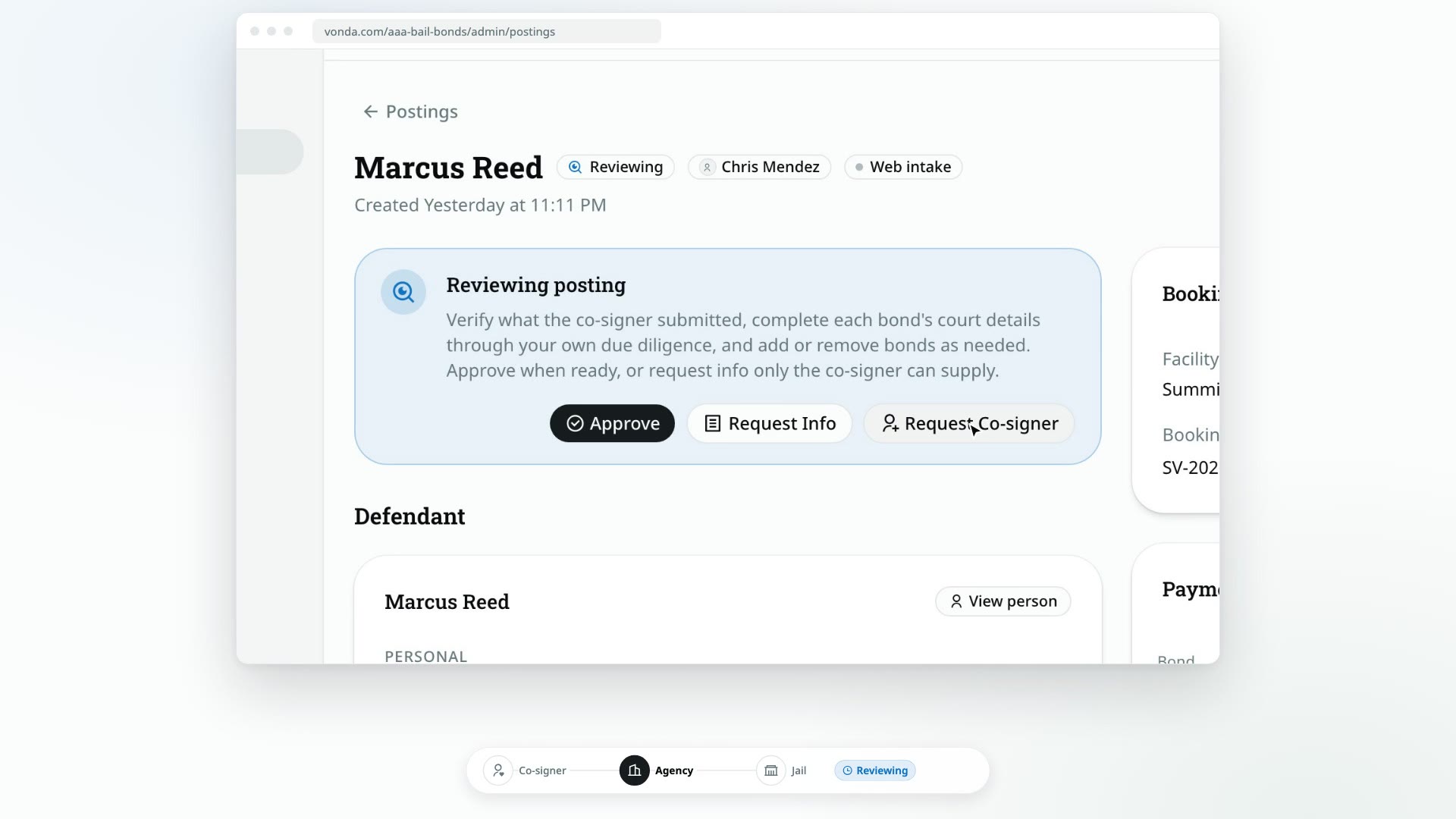
Sometimes one co-signer isn't enough to cover the bond. When that happens, you can ask the primary co-signer to bring in another person. The primary invites them from their own bail page, the new co-signer fills in their own application, and the posting comes back to your review once they're done.
Before you start
- You can edit the posting. Only the posting's assigned agent or an admin sees Request Co-signer.
- The posting is Reviewing. That's the only status where you can ask for another co-signer.
Ask for the co-signer
Click Request Co-signer
In the status card at the top of the posting, click Request Co-signer.
Confirm
In Ask for another co-signer?, click Request.
What happens next
- The status changes to Awaiting Co-signer, and the posting moves to the Waiting for cosigner lane.
- The primary co-signer is told by text or email that another co-signer is needed, with a link to their bail page.
- A Co-signer requested card appears under Co-signers, marked Open. It says Waiting on the primary co-signer to send an invite until they send one.
While you wait, you can still edit the posting's details and prices, but nothing moves forward until the new co-signer finishes.
What the co-signers do
- The primary co-signer sends an invitation. On their bail page, a card titled Another co-signer is needed asks How should we reach them?. They pick text message or email, enter the person's number or address, and click Send invitation. They can resend or revoke it later.
- The invited person opens their link. The page says who they're co-signing for and which bonds, and asks them to Confirm it's you. with a code sent to the number or email they were invited at. The invitation expires after 7 days and works only once.
- They fill in their own application: a photo of their ID, their details, and a review. They don't re-enter the defendant or the arrest.
Other co-signers see Waiting for another co-signer on their bail page in the meantime.
When the new co-signer finishes
- They're added under Co-signers on the posting.
- You're told that a co-signer joined.
- The posting goes back to Reviewing on its own, so you can check their details and carry on.
Manage the request
The Co-signer requested card shows who asked and when. Once the primary has sent an invitation, it also shows where it went (for example Invited ••• 4821) and when it expires.
- Resend sends the invitation again. It only appears after an invitation has been sent.
- Revoke cancels the request. You can also click Revoke Request in the status card. Confirm with Revoke in Revoke the co-signer request?. Any invitation link stops working, and the posting goes back to Reviewing.