Change the primary co-signer or remove a co-signer
Choose which co-signer pays and signs as primary, or take a co-signer off a posting.
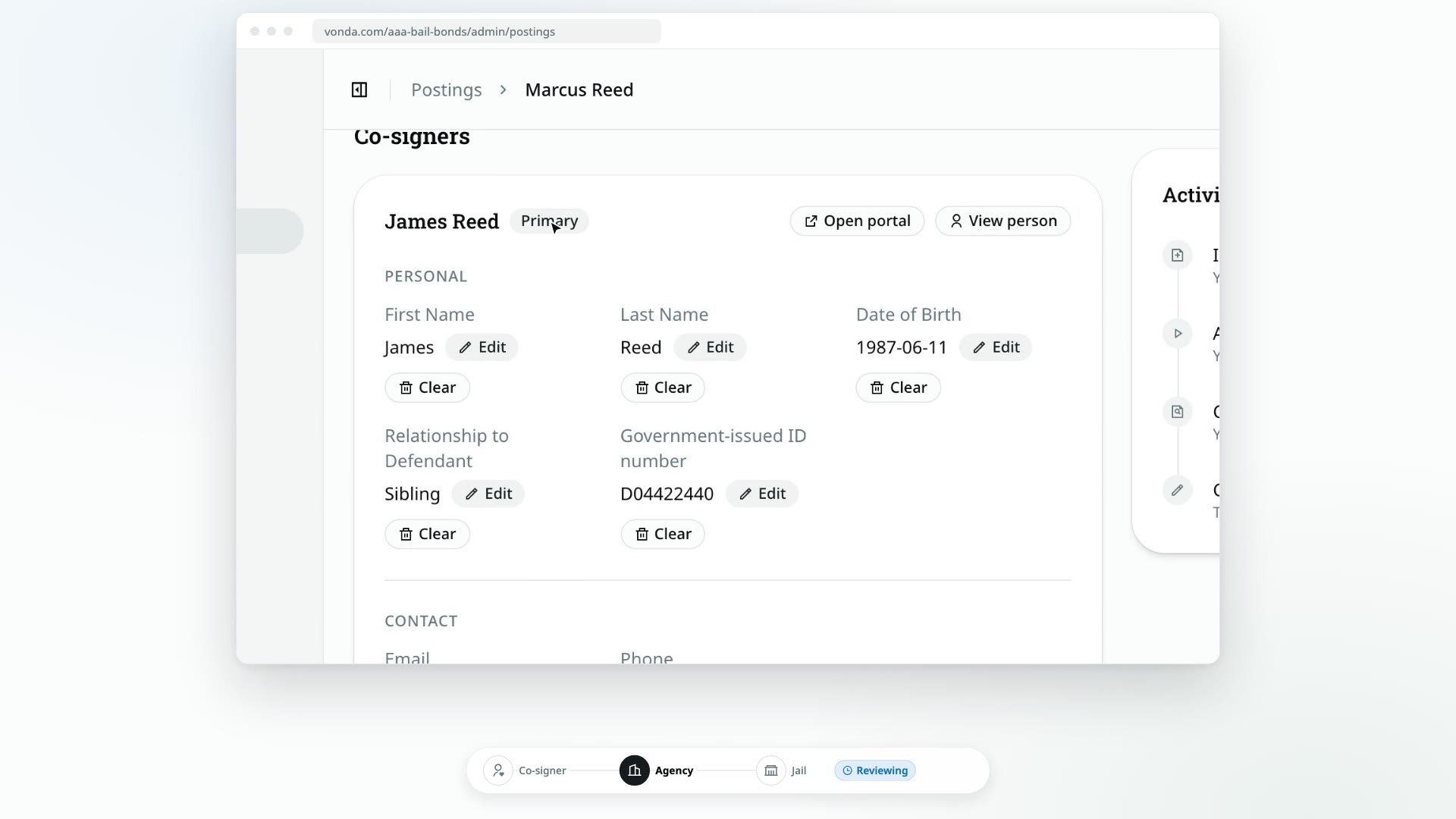
When a posting has more than one co-signer, one of them is the primary. The primary is the only one who can pay, the one who invites extra co-signers, and the one who gets the payment messages. They're also the co-signer whose details print on the facility paperwork. Co-signer documents, like the indemnity agreement, are different: every co-signer gets and signs their own copy. You can move that role to another co-signer, or take a co-signer off the posting.
Before you start
- You can edit the posting. Only the posting's assigned agent or an admin sees Make primary and Remove.
- The posting is open. Neither button appears on a closed or archived posting.
Make someone the primary co-signer
You can do this any time before the posting is paid: from New through Awaiting Payment, while a payment plan request waits for you (Review Plan Request), and after a payment was rejected. It isn't available while a payment is being processed.
Once the posting is paid, you can still do it while its payment plan has principal owed, at any status. Whoever takes over handles the rest of the installments. See Collect installments and payoffs.
Click Make primary
Under Co-signers, find the co-signer and click Make primary next to their name. The current primary shows a Primary badge instead.
Confirm
In Make this the primary co-signer?, click Confirm.
What happens next
- The Primary badge moves to that co-signer, and the change is recorded in the Activity log.
- The documents are regenerated, so the paperwork names the new primary. The Documents card shows Updating while this runs.
- They take over the primary's role on their bail page. If the posting is waiting on payment, they're now the one who can pay, and payment messages go to them from now on. During a payment plan, they get the installment reminders and receipts, and the buttons to pay, and the previous primary no longer does.
- Nobody is sent a message about the change, so let both co-signers know.
Remove a co-signer
You can remove a co-signer only when all of these are true:
- The posting is Reviewing or Awaiting Signature.
- They aren't the primary. While the posting is Reviewing, you can make someone else primary first.
- They haven't signed yet.
- They aren't the only co-signer.
Click Remove
Click Remove next to the co-signer's name on their card. While documents are out for signature, you can also click Remove on their row in the Signatures card.
Type their name to confirm
In Remove this co-signer?, type the co-signer's full name exactly as shown, then click Remove. This can't be undone.
What happens next
- The co-signer is taken off the posting, and any documents already generated for them are deleted.
- Their link to the bail page stops working.
- The change is recorded in the Activity log, and the documents are regenerated for the co-signers who remain.
- If everyone left has already signed, removing the last person who hadn't counts as the signing being finished: the posting moves to Send to Facility, just as if they'd signed.