Create a posting from a phone call
Type in a bail request for a co-signer who called you, and start reviewing it straight away.
Some co-signers would rather tell you everything over the phone than fill in a form. You can type their request into Vonda yourself. It's the same form the co-signer would see on your intake link, worded for you, and the posting is yours from the start.
Before you start
- Admins and agents can do this. The New posting button is at the top of the Postings page.
- Stay on the phone with the co-signer. Vonda sends them a verification code, and you'll need them to read it back to you.
- ID photos aren't collected. You can't photograph someone's ID over the phone, so this form skips that step. If you need the photos later, ask the co-signer for them with an info request. See Request missing information.
Create the posting
Click New posting
Open Postings in the sidebar and click New posting. The New posting page opens.
Verify the co-signer's contact
Under Where should we reach the co-signer?, ask which they prefer: Text message (SMS) or Email. Type their number or address and click Continue.
Vonda sends a code to the co-signer. Ask them to read it to you, and type it in. From now on, every update about this posting goes to that contact.
If they've worked with your agency before, their details are filled in for you.
Enter the defendant and the arrest
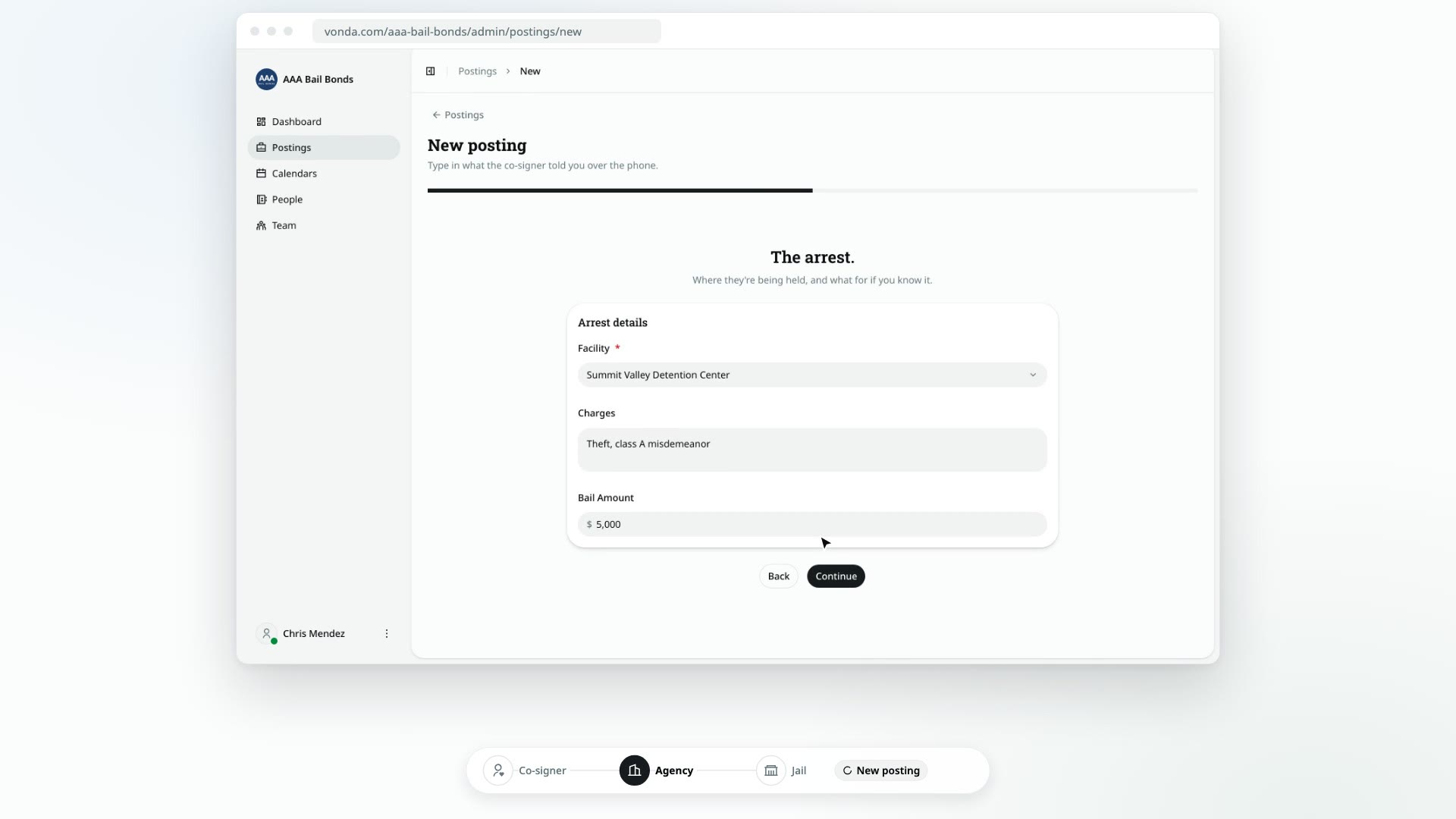
Fill in Who needs help? with what the co-signer knows about the defendant. Under The arrest., pick the Facility and add the charges and bail amount if you have them.
Enter the co-signer's details
Fill in About the co-signer: their relationship to the defendant, name, ID number, contact details, home and work.
Review and submit
On Review., check every section. Tick the box confirming the co-signer verbally authorized your agency to use their information (and, if you verified by text message, that they agreed to text updates). Then click Submit request.
What happens next
- You land on the new posting. You'll see Posting created, and the posting opens with a Reviewing status and a Manual badge.
- It's assigned to you. There's no claiming step, and no other agent is notified.
- The co-signer is told. They get a text or email, on the contact they verified, saying their request was received, with a link to their own bail page.
- Your agency's active fees are added to the posting, like any other new posting.
You're now in the review. See Correct a posting's details and Price and approve a posting.
What your co-signer does on your intake link
Walk through the bail request form your co-signer fills in, so you can guide them on the phone and know what arrives on your side.
Find your way around a posting
A tour of the posting page, from the status card at the top to the notes and activity log on the side.