Postings
Add or remove a bond
Add a bond for another court case on the same posting, or remove one that doesn't belong.
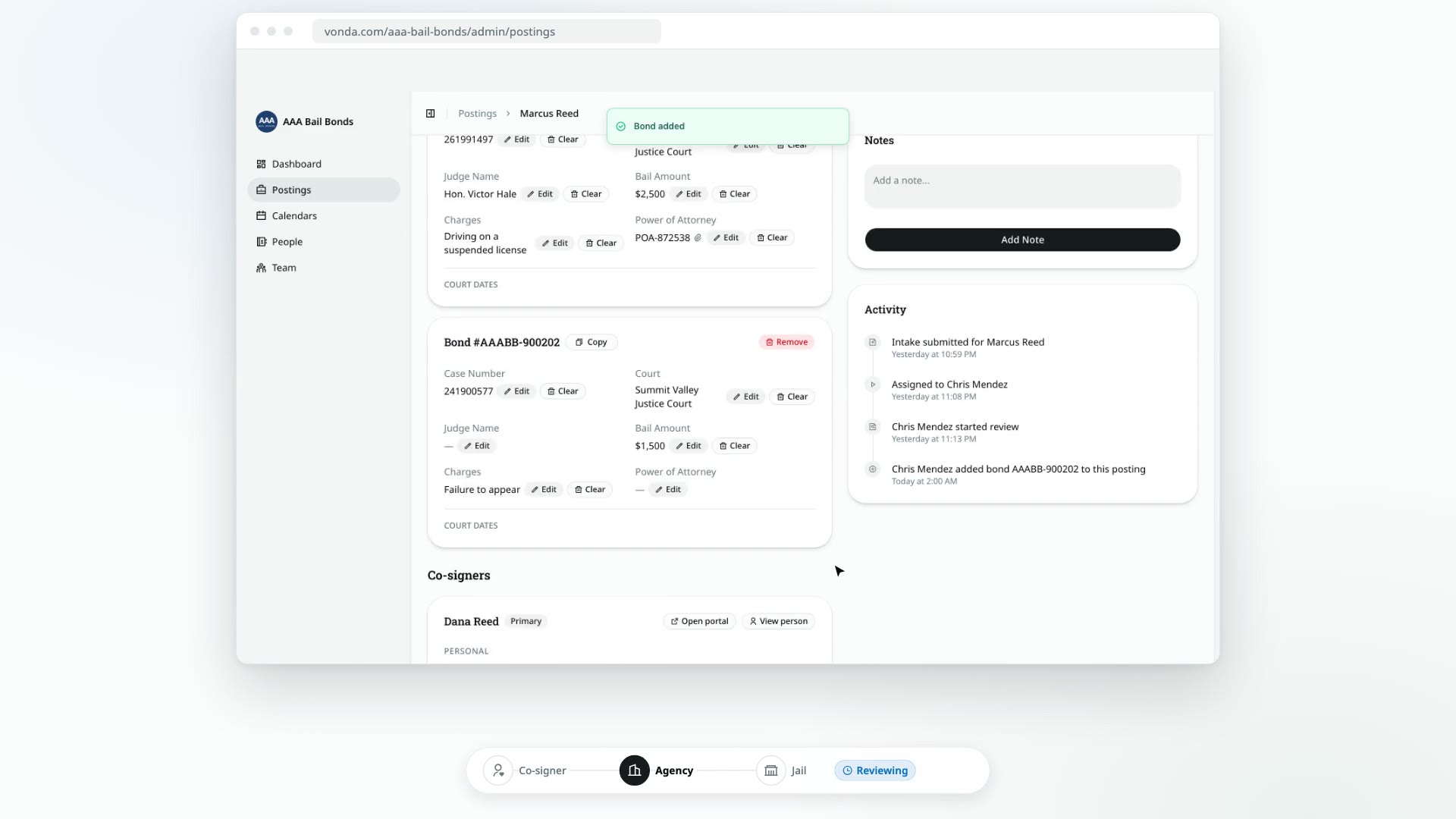
A defendant held on more than one case needs a bond for each one, but it's still one job: one defendant, one jail, one set of co-signers and one payment. So you add each extra bond to the same posting instead of creating a new posting.
Before you start
- You can edit the posting. Only the posting's assigned agent or an admin sees Add bond and Remove.
- The posting is Reviewing. Bonds can only be added or removed while the status is Reviewing. After you approve, or once you've asked the co-signer for information, the list of bonds is fixed, and there's no way back to Reviewing. If a bond turns out to be missing after that, close the posting and create a new one. See Close or reopen a posting.
- To remove a bond, the posting needs at least two. A posting always keeps at least one bond, so Remove is hidden when there's only one.
Add a bond
Click Add bond
On the posting page, click Add bond next to the Bonds heading.
Fill in what you know
In the Add Bond dialog, enter the Court, Case Number, Bail Amount, Charges and Judge Name. Every field is optional. You can fill in the rest later on the bond's own card.
Save
Click Add Bond.
What happens next
- The bond gets its own bond number and a new card under Bonds.
- It's billed at your agency's default premium rate. The Payment card adds a row for it, and the premium total and amount due update. You can change its rate before you approve. See Price and approve a posting.
- Its paperwork is generated. Each bond gets its own copy of every document, so new documents appear on the Documents card.
- Nobody is notified.
Remove a bond
Click Remove on the bond's card
Find the bond under Bonds and click Remove on its card.
Confirm
In Remove this bond?, click Remove. This can't be undone.
What happens next
- The bond is gone from the posting, along with its row on the Payment card. The premium total and amount due update.
- The documents are regenerated without it.
- Nobody is notified.