See what your co-signer sees
Open a co-signer's own bail page from the posting, so you can walk them through it on the phone.
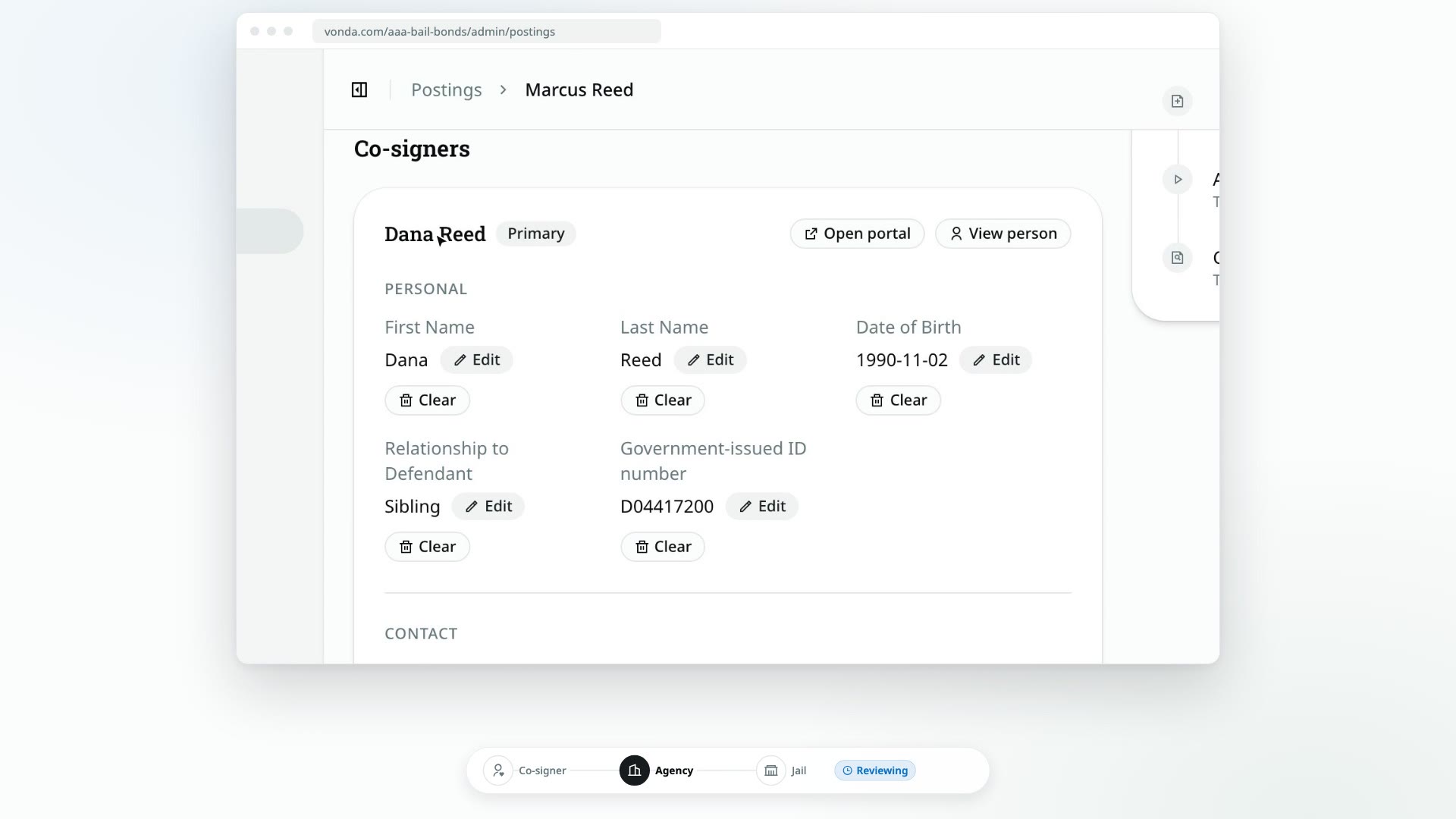
Every co-signer has their own bail page, branded with your agency's name and logo. It's where they follow the request, answer your questions, pay, and sign. When a co-signer calls confused about what to do next, open their page and look at exactly what they're looking at.
Before you start
- You can edit the posting. Only the posting's assigned agent or an admin sees Open portal.
- Each co-signer has their own page. What's on it depends on who they are. For example, only the primary co-signer sees the payment buttons.
Open their page
Find the co-signer
On the posting, scroll to Co-signers and find the co-signer's card.
Click Open portal
Click Open portal at the top of their card. Their bail page opens in a new tab.
Anything you do there, you do as the co-signer
Their page works for you exactly as it does for them. Look, but don't pay, sign or submit anything on their behalf.
What they see at each stage
The big card at the top of their page changes as the posting moves:
| Status on your side | What the co-signer sees |
|---|---|
| New, Start Review | Request received |
| Reviewing | Reviewing your information |
| Awaiting Co-signer | The primary sees a card to invite someone. Others see Waiting for another co-signer. |
| Awaiting Info | The co-signer you asked sees Submit your information. Others see Waiting on more information. |
| Review New Info | Information received |
| Awaiting Payment, Payment Rejected | The primary sees the invoice and how to pay, and Request a payment plan if your agency offers plans. With a plan on offer, they see Your payment plan is ready instead. Others see Waiting on payment. |
| Review Plan Request | The primary sees Payment plan requested, with their note and Withdraw request. Others see Payment plan requested, and that nothing is needed from them. |
| Processing Payment, Verify Payment | The primary sees Processing your payment. Others see Waiting on payment. |
| Review Documents | Preparing your documents |
| Awaiting Signature | Sign your documents, then Your signature is in once they've signed |
| Send to Facility | Documents signed |
| Awaiting Approval, Awaiting Release | Documents on the way |
| Facility Rejected | Finalizing with the facility. The co-signer isn't told the facility rejected the bond. |
| Released | That the defendant is released, and, while their payment plan still has principal owed, that the plan continues. If your agency has turned on Google reviews, also How did [your agency] do? A Google review helps other families find help when they need it. with a Leave a Google review button that opens your Google review link in a new tab |
| Exonerated | That the defendant's bail is exonerated: their obligation has ended and there's nothing more they need to do. While their payment plan still has principal owed, it says instead that the court case is finished but the payment plan continues. The Google review request is no longer shown |
| Closed | This bail request has been closed |
Beside it, they can always see the defendant's bail, your agency's agent with their contact details, and the other co-signers. Below it are their payment, their documents and any court dates. Once a payment plan is running, a Payment plan card above the payment shows its schedule, and the primary pays each installment from it.
Look up the person instead
View person on the same card opens the person's profile in your records, with every posting they've been part of. See Read a person's profile.