Close or reopen a posting
End a bail request that isn't going ahead, tell the co-signer, and reopen it later if it comes back.
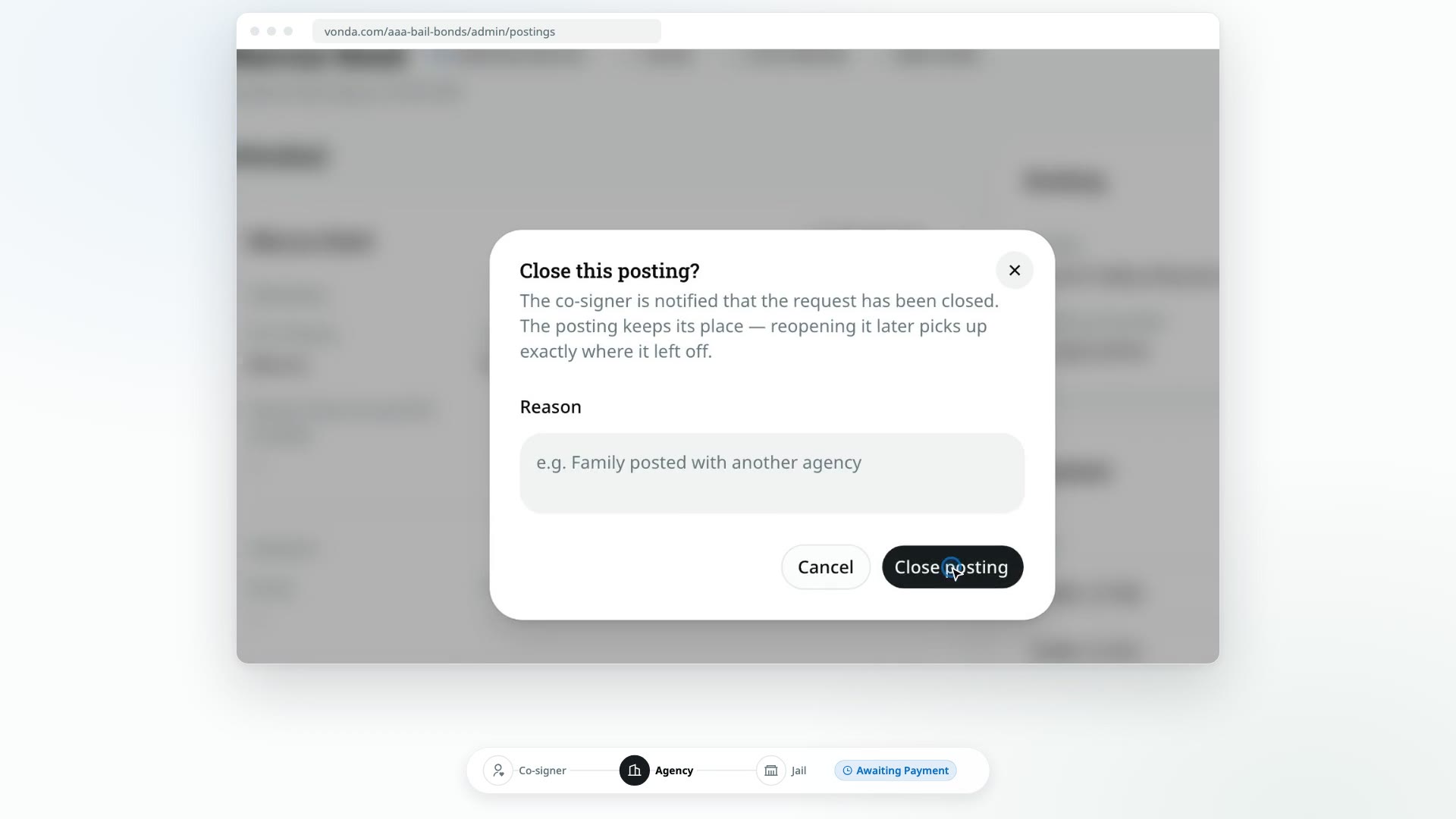
Not every request ends in a release. The family finds another agency, the defendant is released on their own, or the co-signer stops answering. Closing a posting ends it before anyone pays, and tells the co-signer. Nothing is lost: if the request comes back, reopen it and it picks up exactly where it stopped.
Before you start
- Only admins see Close and Reopen. They're in the posting's header, or in the header menu on a phone.
- The posting hasn't been paid. You can close a posting from New up to Awaiting Payment, while a payment plan request waits for an answer (Review Plan Request), or after a payment was rejected. Once a payment is being processed or has been confirmed, Close is gone, and that includes a payment plan's down payment.
- No collateral payment is in progress. While the co-signer's payment of collateral is Processing on the Collateral card, Close is gone, as with any payment being processed. Confirm or reject the proof, or wait for the online payment to settle. See Request collateral.
Close a posting
Click Close
Open the posting and click Close in the header.
Add a reason (optional)
In Close this posting?, you can write why in Reason, for example that the family posted with another agency. The reason is for your team only. The co-signer never sees it.
Confirm
Click Close posting.
What happens next
- The posting shows a Closed badge beside its status. The status itself doesn't change, so you can always see how far it got.
- Every co-signer is told by text or email that the bail request has been closed. Their bail page says This bail request has been closed and asks them to contact your agency with any questions.
- The posting leaves the Dashboard and moves to the Closed shelf on the Postings page.
- It's frozen. Nobody can edit it, move it forward or take a payment until it's reopened. The status card is hidden.
- Unpaid collateral lapses. If you'd asked for collateral and it hadn't been paid, nothing is owed and the co-signer's bail page shows nothing about it. If you reopen the posting, the request is payable again.
- Held collateral stays held. Closing doesn't return it. It stays under Holding collateral, and you can still click Mark returned or Mark forfeited on the Collateral card.
- The reason is recorded in the Activity log.
Reopen a posting
Find the posting
On Postings, pick the Closed shelf and open the posting.
Click Reopen
Click Reopen in the header, then Reopen in Reopen this posting?.
What happens next
- The posting resumes at the step it was on when you closed it, and returns to the Dashboard and the Open shelf.
- Every co-signer is told that the request is live again, and their bail page goes back to showing where things stand.
Close or archive?
Close a request that didn't go ahead: it tells the co-signer. Archive a posting you just want out of the way: it's silent. See Archive or unarchive a posting.