Upload your document templates
Add the PDFs Vonda fills in for every bond, for co-signers to sign and for the jail.
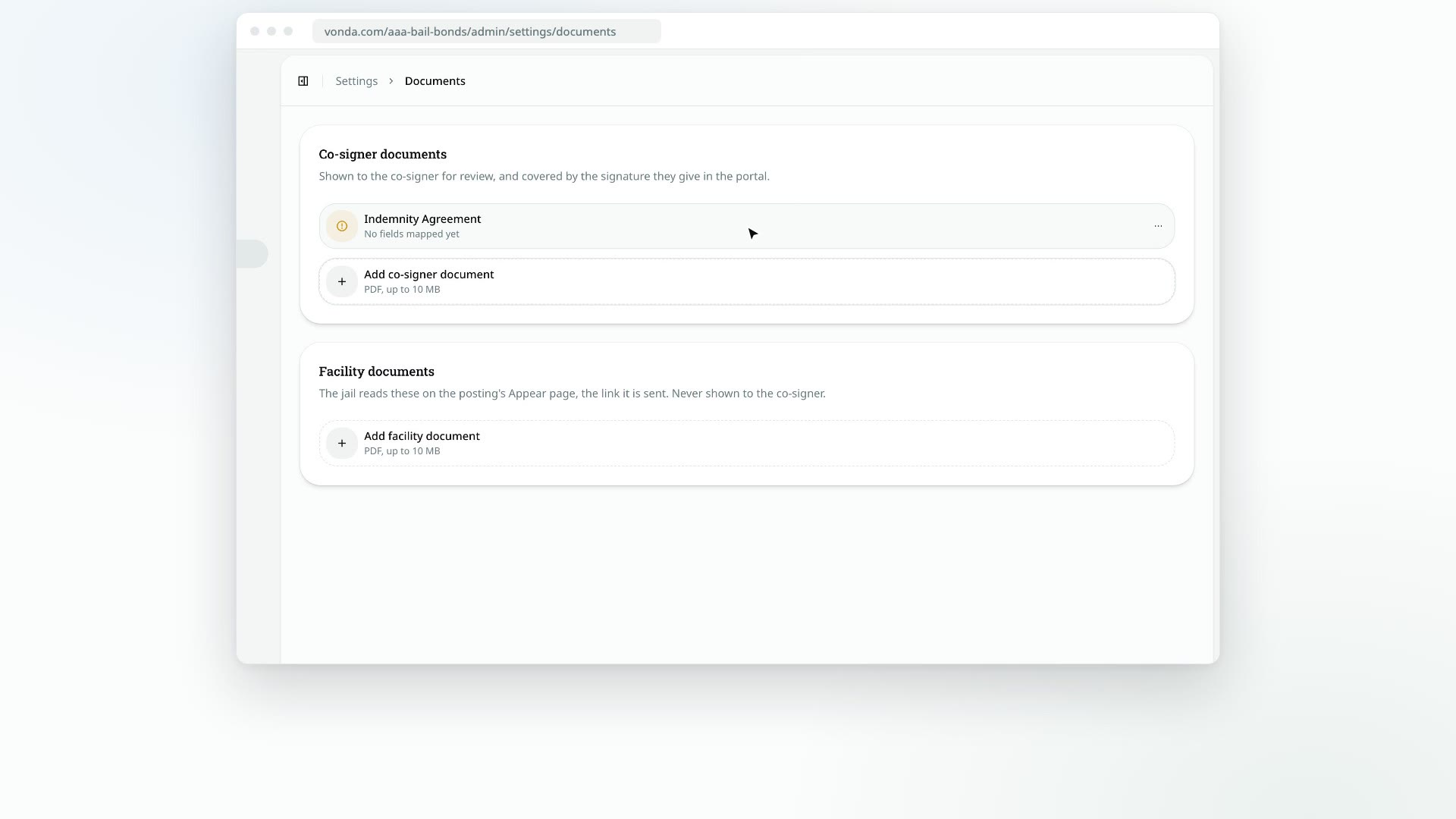
Your document templates are your agency's own PDF forms, such as an indemnity agreement or a bail bond form. Vonda fills each one in with the posting's details, once for every bond on the posting. You upload each PDF once, then place the fields Vonda should fill in.
Before you start
- Only admins can manage templates.
- Each template is for one audience. Settings has two cards, and which one you upload to decides who gets the document:
- Co-signer documents are shown to the co-signer to review and are covered by the signature they give on their bail page. An indemnity agreement goes here, and so does a payment plan contract, which you can switch to generate only for postings with a payment plan (see Replace, download or delete a template).
- Facility documents go to the jail and are never shown to the co-signer. The jail gets them when your team sends the posting to the facility, either through the link in Vonda's email or on paper you fax or bring in.
- Your files are PDFs of up to 10 MB each. You can upload as many as you need to each card.
You need at least one of each
If a posting has no co-signer documents, the Send for Signature button doesn't appear on it. If it has no facility documents, the buttons to send it to the jail don't appear. Upload at least one template to each card before your first posting reaches those steps.
Upload a template
Open Documents
Click Settings in the sidebar, then Documents.
Add the PDF
At the bottom of the matching card, click Add co-signer document or Add facility document and pick your PDF.
Wait for it to save
The new row appears straight away and shows Uploading…, then Saving…. Once it's saved, it's named after your file, and its description reads No fields mapped yet.
Place the fields
Click the row to open the template editor and place the fields Vonda should fill in. Until you do, the document prints as a blank copy of your PDF. See Place merge fields on a template.
Once fields are placed, the row reads Fields mapped.
What happens next
- New postings include the template. Every posting generates it once per bond. A template switched to plan-only (its row reads Only with a payment plan, once per posting) is generated once per posting instead, and only while the posting has a plan.
- Postings in Review Documents update straight away. They regenerate their documents so the new template is included.
- Postings earlier in the process pick it up soon. Their documents regenerate whenever someone edits the posting.
- Postings further along keep what they have. A posting that's already out for signature or sent to the jail isn't changed.
For how your team works with these documents on a posting, see How posting documents work. To rename, replace, download or delete a template, see Replace, download or delete a template.