Connect a custom domain
Serve your intake page and co-signer pages from your own domain, such as portal.youragency.com.
With a custom domain, the pages your clients open live on your own web address instead of Vonda's. You give Vonda your domain, for example youragency.com, and Vonda hosts your client pages at portal.youragency.com.
Before you start
- Only admins can connect a domain.
- You need access to your domain's DNS settings, usually at the company you bought the domain from. You'll add one record there.
- Your team's console doesn't move. Only client-facing pages use the custom domain.
Connect it
Enter your domain
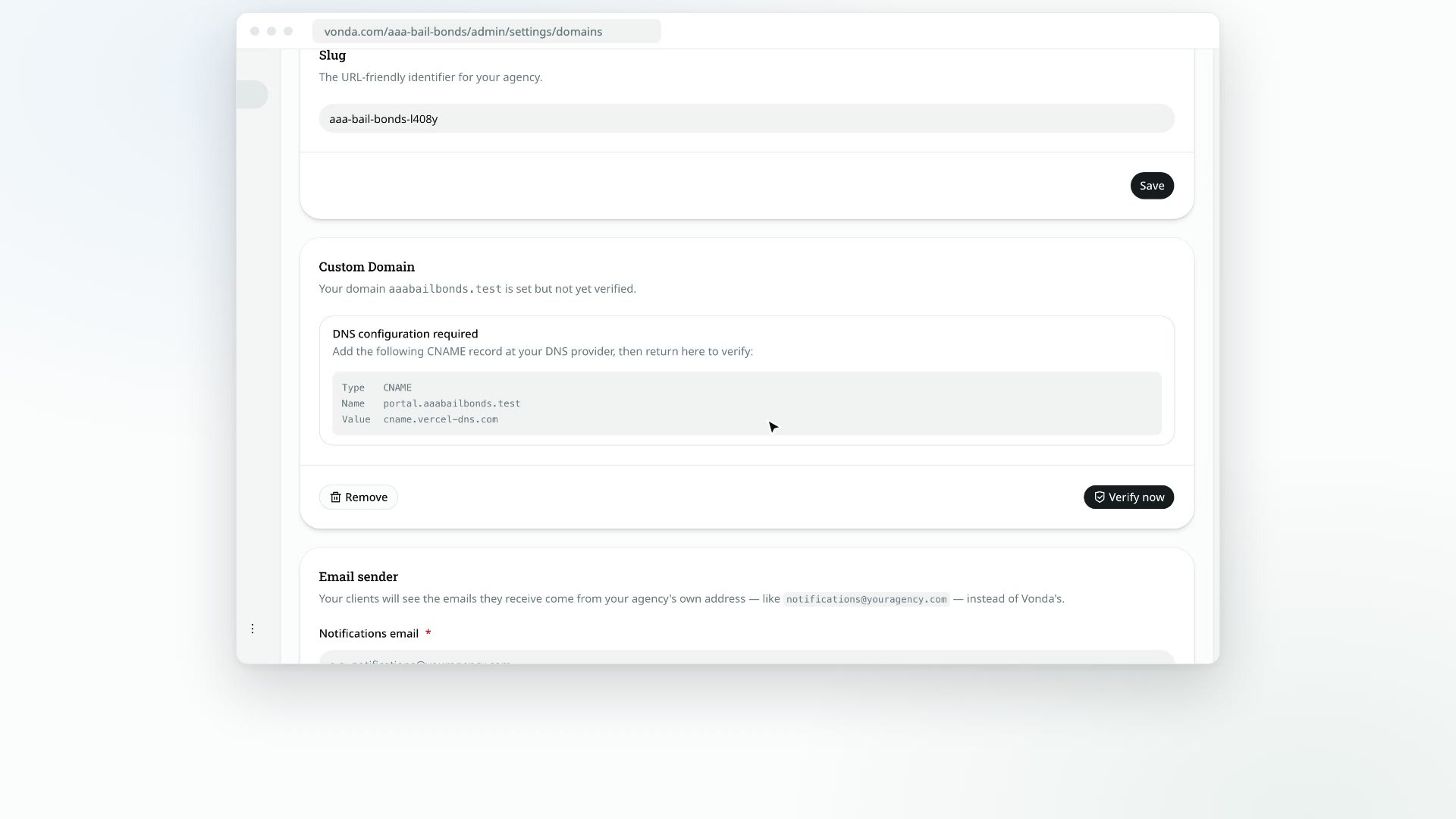
Click Settings in the sidebar, then Domains. In the Custom Domain card, type your Root domain, such as youragency.com, without portal. or https://. Click Save.
Add the DNS record
The card now says DNS configuration required and shows a record with a Type of CNAME, a Name of portal. plus your domain, and a Value. Add that record at your DNS provider exactly as shown.
Verify
Back in Vonda, click Verify now. When the record is found, you'll see Custom domain verified. and the card shows your portal address marked Verified.
If verification fails, DNS changes may still be spreading. Wait a while and click Verify now again.
Vonda refuses a domain another agency already uses (Another agency is already using this domain) or one it keeps for itself (This domain is reserved).
What happens next
Once the domain is verified:
- Your intake link uses it. Share intake link on the Dashboard gives out the
portal.address. - Client messages use it. Links in the texts and emails co-signers get point at your domain.
- Your policy links use it. The Terms of Service, Privacy Policy and Refund Policy links on your intake page open on your domain.
Change or remove the domain
Once a domain is verified, the card has two buttons:
- Change: the Change custom domain? dialog warns that the current domain stops working. Click Continue, then enter and verify the new domain.
- Remove: the Remove custom domain? dialog warns that links on your domain stop working and your links go back to Vonda's address. Click Remove.
Before a domain is verified, you can click Remove to start over with a different one.