Fix a facility rejection
When a jail rejects a posting, read its reason, correct the paperwork, have the co-signers sign again and resend it.
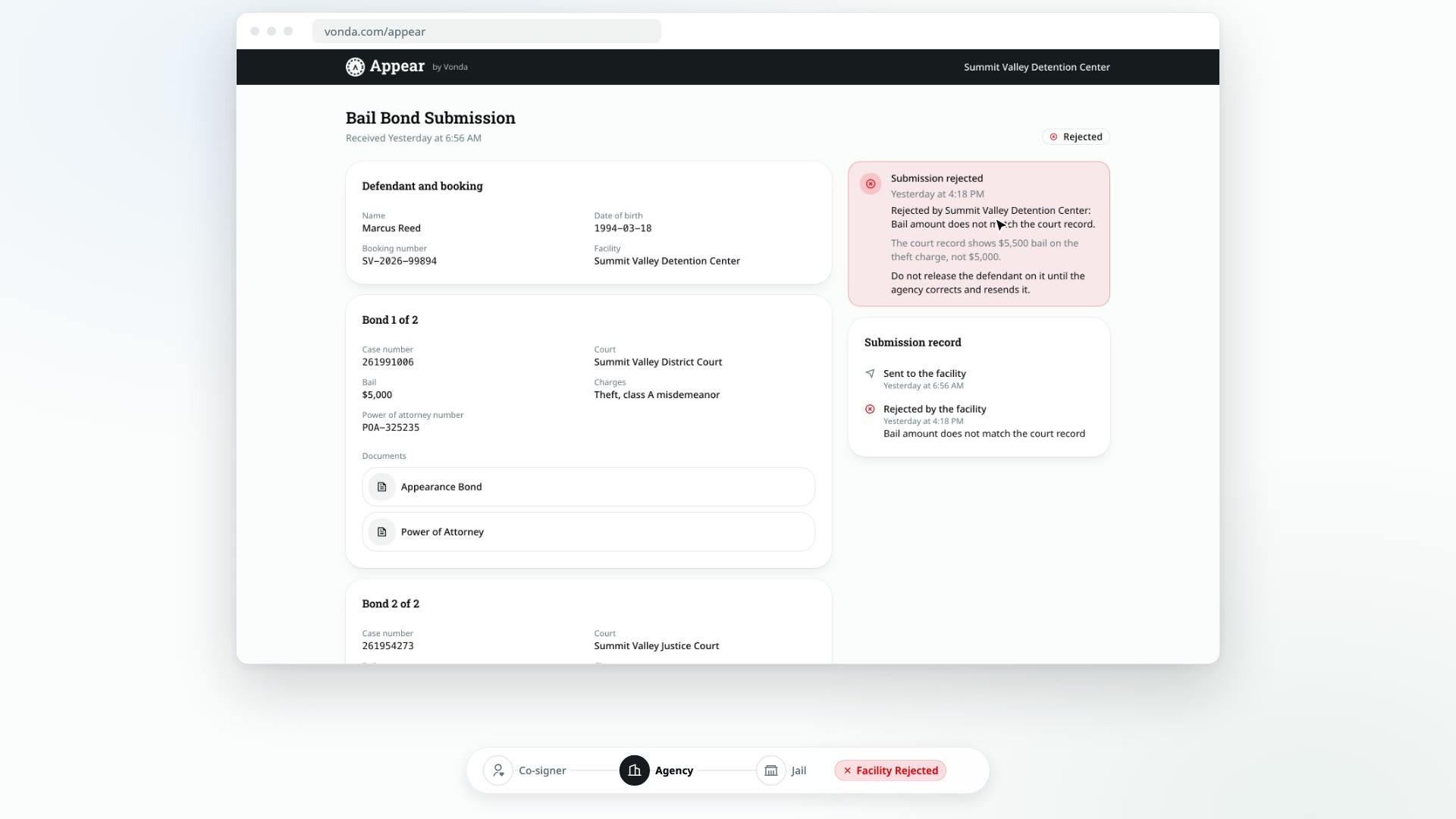
A jail can reject a posting from its Appear page while it's Awaiting Approval, for example because the bail amount doesn't match the court record. The posting then shows Facility Rejected. You correct it and send it again. Because the paperwork changes, every co-signer has to sign it again.
Before you start
- You can edit the posting. Only the posting's assigned agent or an agency admin sees Correct & resend.
- The posting shows Facility Rejected. The posting's assigned agent is told when the jail rejects it.
Read the reason
The status card says Facility rejected the posting and shows:
- Reason: the reason the jail picked, such as Bail amount does not match the court record, Case or charge mismatch, Power of attorney issue or Other.
- Detail: what the jail wrote, if anything. When the reason is Suspected fraud, the jail's detail goes only to Vonda support, so you see the reason without it.
If the reason isn't clear, call the facility before you change anything.
Correct and resend
Click Correct & resend
In the status card, click Correct & resend.
Confirm
In the Correct and resend this posting? dialog, click Confirm. The posting goes back to Review Documents. Nobody is notified yet, and every signature the co-signers gave is cleared.
Fix the paperwork
Correct whatever the jail flagged:
- A wrong detail, such as a case number or a charge: edit it on the posting. The documents are filled in again automatically.
- A detail that prints in the wrong place: adjust the placement for that bond.
- A missing document: attach it. While you're correcting a posting, you can attach co-signer and facility documents again, and delete ones you attached before.
Correcting a bail amount here changes the paperwork, but not what the co-signer was charged. The price was set when you approved the posting.
Send for signature again
Click Send for Signature, as you did the first time. See Send documents for signature. The co-signers are told their documents were updated and need signing again.
Send to the facility again
Once everyone has signed again, the posting shows Send to Facility. Email it or mark it as sent just like before.
What the co-signer sees
Co-signers are never shown the jail's rejection.
- Until you click Correct & resend, their bail page still shows Documents on the way.
- While you correct the paperwork, it shows Preparing your documents.
- When you send it for signature again, they see Sign your documents with a note that their documents were updated and they need to review and sign again.
What the jail sees
The Appear link stays the same the whole time (see What is Appear). While you're correcting the posting, the jail's Appear page shows that the agency is updating it. When you send it again, the jail can review the corrected paperwork on the same page.