Send documents for signature
Check the paperwork after payment, then send it to the co-signers so they can sign electronically.
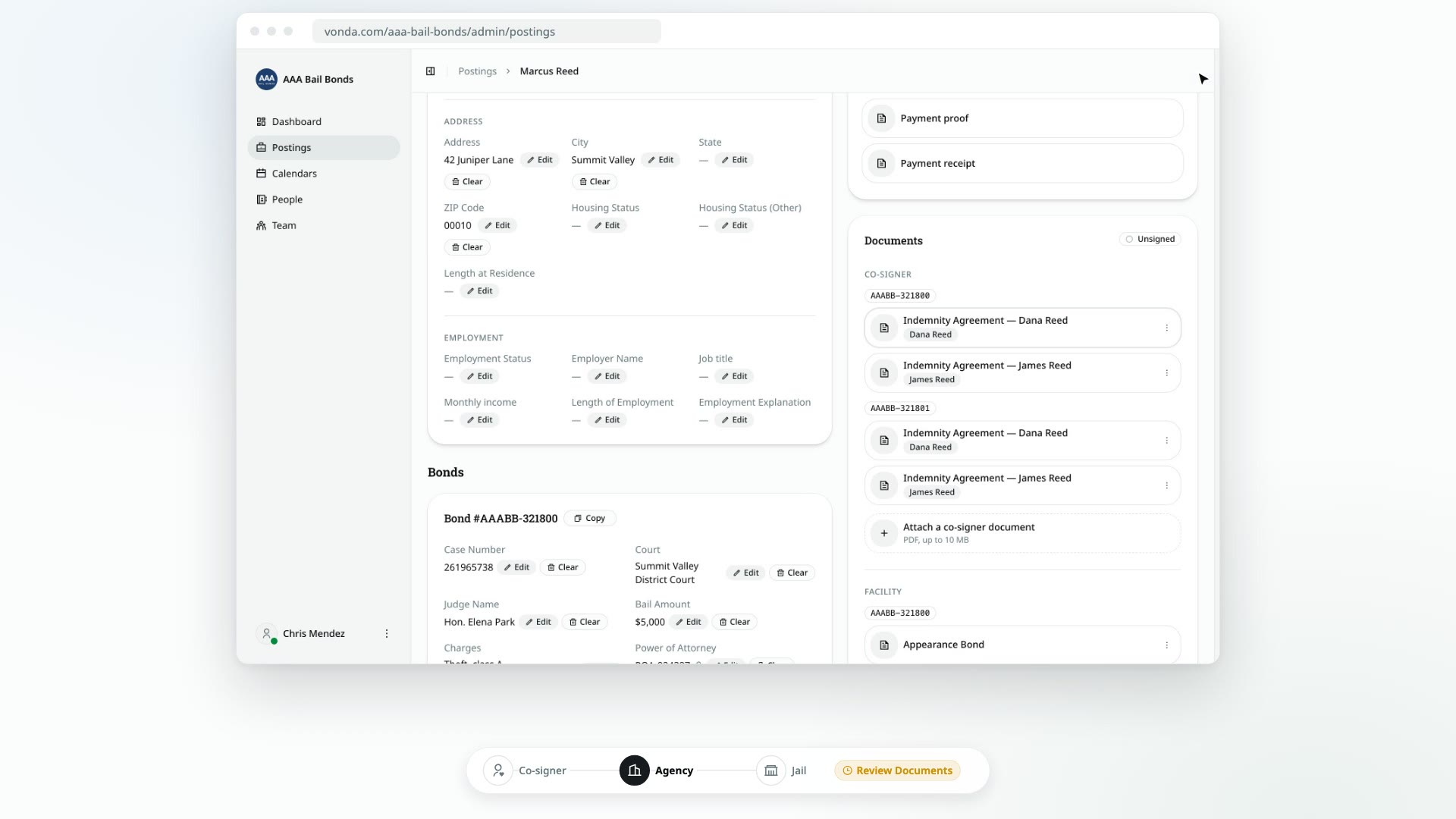
Once a posting is paid, it moves to Review Documents. This is your chance to check the paperwork before anyone signs it. When it's right, you send it to the co-signers, who sign from their bail page.
Before you start
- You can edit the posting. Only the posting's assigned agent or an agency admin sees Send for Signature.
- The posting shows Review Documents. The status card at the top says Documents ready.
- There's at least one co-signer document. If the status card says Co-signer documents missing, there's nothing for the co-signers to sign yet, and the button is hidden. An admin can add a co-signer form in Settings → Documents and the posting picks it up automatically, or you can attach a co-signer document to this posting.
Review and send
Check the documents
On the Documents card, open each co-signer and facility document and read it through. See View or download a posting's documents.
Fix anything that's wrong
- A detail is wrong or missing: correct it on the posting. Every change fills the documents in again, and the card shows Updating while it does.
- A detail prints in the wrong place: adjust the placement for that bond.
- Something is missing entirely: attach a document.
Correcting a bail amount here changes the paperwork, but not what the co-signer was charged.
Click Send for Signature
In the status card, click Send for Signature. If the documents are still updating, you'll be asked to try again in a moment.
Confirm
In the Send the documents for signature? dialog, click Send.
What happens next
- The status changes to Awaiting Signature. A Signatures card appears on the posting. See Track who has signed.
- Every co-signer who hasn't signed is told by text or email that their documents are ready to sign, with a link to their bail page.
What the co-signer sees
Their bail page shows Sign your documents and walks them through three steps:
- Review documents. They open each document, then tick I have downloaded and reviewed the documents. They see only their own copies.
- Consent. They tick the box agreeing to sign electronically.
- Sign. They type their full legal name, see it drawn as a signature, and click Submit Signature.
Afterward they see Your signature is in, along with who has signed and who they're still waiting on. Each co-signer signs their own agreement. One signature covers all of their copies.