Track who has signed
See which co-signers have signed, what happens when the last one does, and how to handle a co-signer who won't sign.
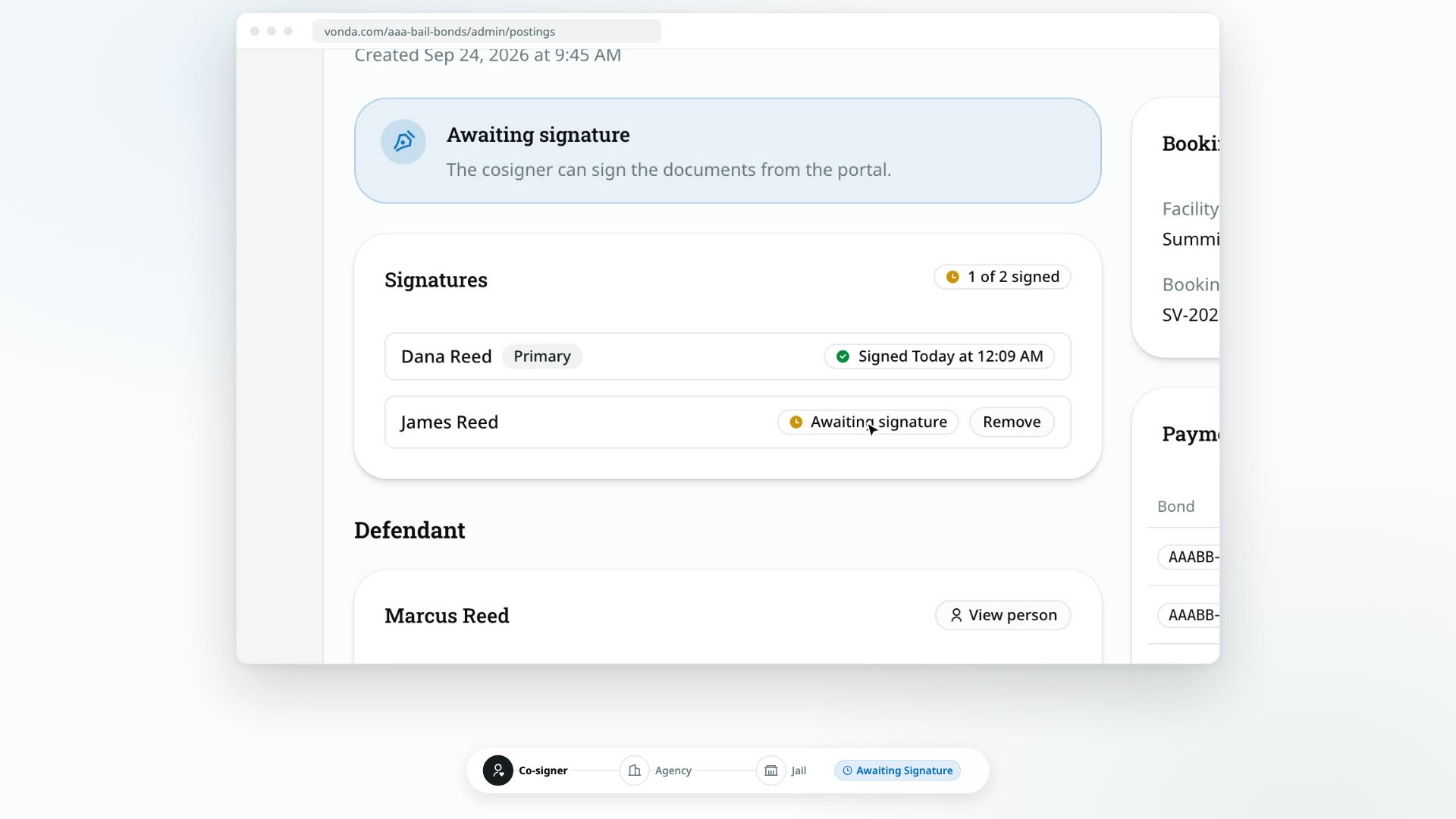
After you send the documents for signature, every co-signer signs their own agreement from their bail page. The Signatures card on the posting shows you who is done and who you're still waiting on.
Before you start
- The posting shows Awaiting Signature. The Signatures card only appears in that status. See Send documents for signature.
- Anyone in your agency can follow the signatures. Removing a co-signer is limited to the posting's assigned agent or an agency admin.
Read the Signatures card
- The badge in the corner counts the signatures, for example 1 of 2 signed.
- Each co-signer has a row with their name, a Primary tag for the primary co-signer, and either Signed with the date and time, or Awaiting signature.
You don't need to do anything while you wait. The posting moves on by itself when the last co-signer signs.
When everyone has signed
- The status changes to Send to Facility. You're ready for the facility handoff. See Email the posting to the facility or Mark the posting as sent.
- The documents are filled in again, and each co-signer's copies now carry their typed name as a signature.
- Everyone is told. Each co-signer gets a message that their documents are signed, over every contact they verified. The posting's assigned agent gets one too.
- The co-signer's bail page shows Documents signed, and their signed copies now appear in its Documents card.
A co-signer won't sign
If a co-signer can't or won't sign, you can take them off the posting (see also Change the primary co-signer or remove a co-signer), as long as they aren't the primary co-signer, haven't signed yet, and at least one other co-signer remains.
Click Remove
On the Signatures card, click Remove on that co-signer's row. The button only shows for co-signers you're allowed to remove.
Type their name to confirm
Removing a co-signer is permanent, and any documents made for them are removed too. Type the co-signer's name exactly as shown, then click Remove.
If everyone left on the posting has already signed, the posting moves to Send to Facility right away, just as if the last co-signer had signed.