View or download a posting's documents
Open any of a posting's documents in the built-in viewer, or save a copy to your computer.
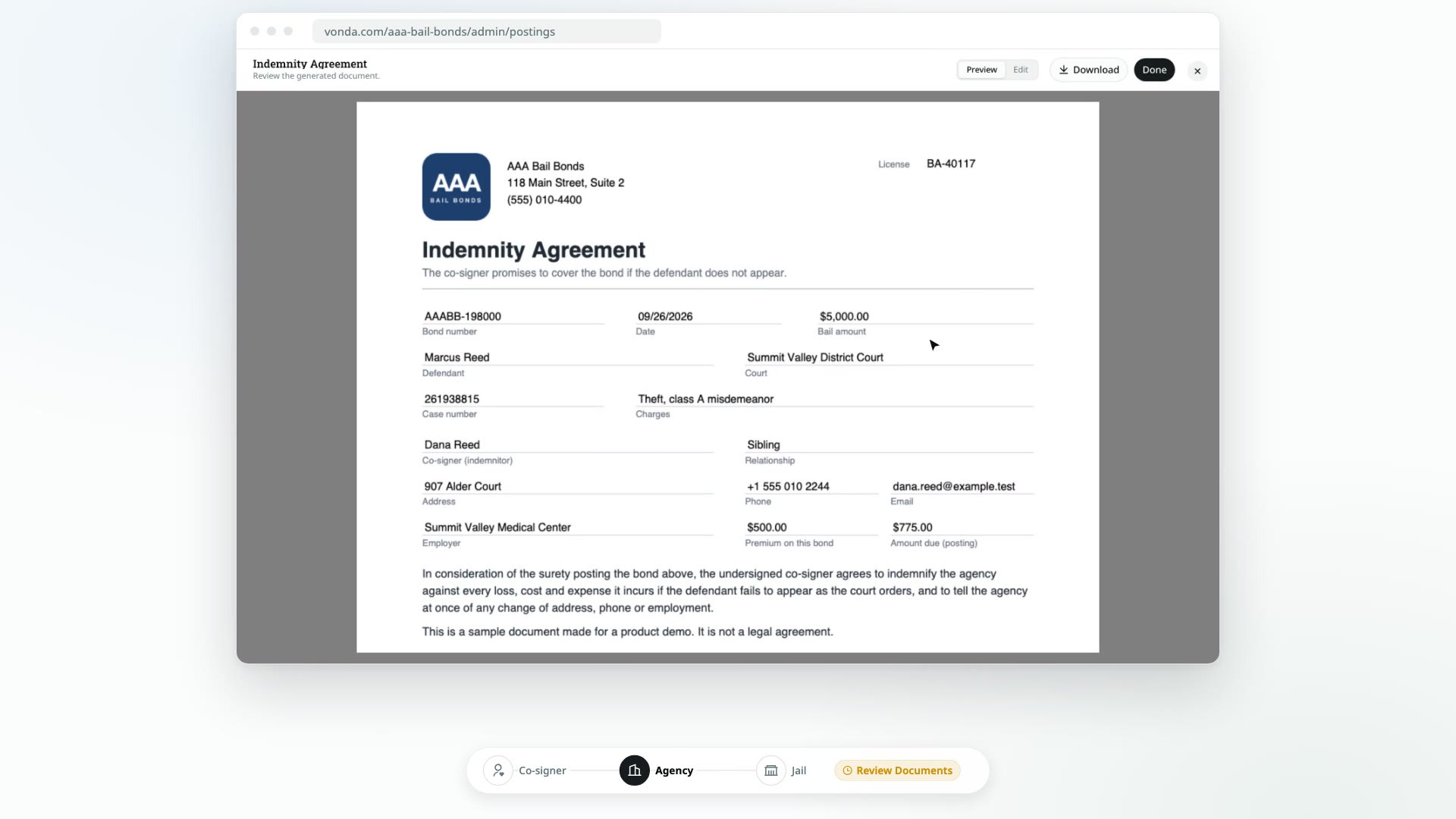
Every document on a posting, generated or attached, can be opened right inside Vonda. You can also download a copy, for example to print it or fax it to a jail.
Before you start
- Anyone in your agency can do this. You don't need to be the posting's assigned agent.
- The posting has documents. If your agency hasn't set up any forms yet and nobody has attached a file, the Documents card says Nothing generated or attached yet. See How posting documents work.
Open a document
Find the Documents card
Open the posting and scroll to the Documents card. Files are grouped under Co-signer, Facility and Internal, and under a bond number badge when the posting has more than one bond.
Click the document
Click the document's row. It opens in a viewer that fits the page to your screen. On a phone or tablet, pinch or double-tap to zoom in on the small print.
Close the viewer
Close the viewer when you're done. You're back on the posting.
Download a document
You can download a document in either of two ways:
- From the list: open the menu at the end of the document's row and choose Download.
- From the viewer: with the document open, click Download.
Seeing Updating on the card?
If the Documents card shows Updating, Vonda is filling in the documents again after a change. What you open or download right then is the previous version. Wait until Updating goes away to get the latest copy.
What the co-signer sees
Co-signers have a Documents card on their bail page too. It lists only co-signer documents, never the facility or internal ones. Their receipt and payment proof are with their payment instead.
The card stays empty until the documents are signed:
- While the posting is in Review Documents, it says Your documents are being prepared — they'll appear here shortly.
- While it's Awaiting Signature, it says Your copies will appear here once you sign. During this step, co-signers read the documents in the signing card at the top of their page.
- Once everyone has signed, their copies are listed. They click one to open it in the viewer, and download it from there.
Right after a signature, each copy is filled in again so it carries the new signature. For those few seconds, the document on their page says Updating with the latest signature — ready in a moment. and can't be opened yet.