Attach a document to a posting
Add your own file to a posting for the co-signer, for the jail, or just for your agency's records.
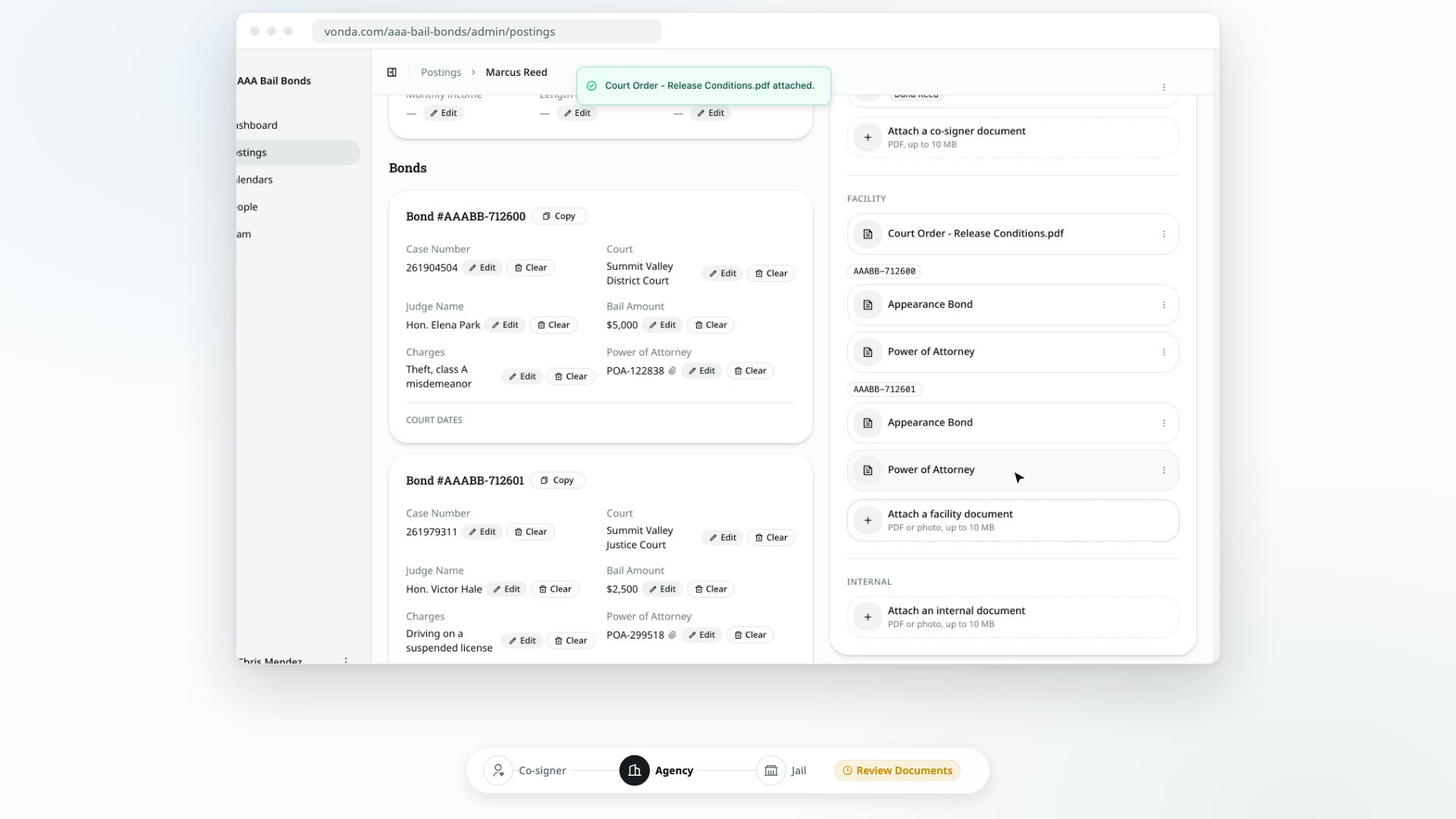
Sometimes a posting needs a file your agency's forms don't cover: an extra agreement for the co-signer, a court order the jail asked for, or a note you want to keep with the job. You can attach it to the posting, and choose who it's for.
Before you start
- You can edit the posting. Only the posting's assigned agent or an agency admin sees the attach buttons.
- The posting is open. You can't attach anything to a closed or archived posting.
- The file is ready. It must be 10 MB or smaller.
Pick the right kind of document
Where you attach a file decides who sees it, and when you can still add it:
| Attach it as | Who sees it | File types | You can attach it |
|---|---|---|---|
| Co-signer document | The co-signers, on their bail page. They review it and sign it with the rest of their documents. | PDF only | Until the primary co-signer signs |
| Facility document | The jail, on the posting's Appear page | PDF or photo | Until you send the posting to the facility |
| Internal document | Only your agency | PDF or photo | Any time |
If you're correcting a posting, whether it's back in Review Documents or the jail rejected it, you can attach co-signer and facility documents again.
Attach a file
Find the right section
Open the posting and go to the Documents card. At the bottom of each section, you'll see a tile for adding a file: Attach a co-signer document, Attach a facility document or Attach an internal document. A tile only shows while you can still attach that kind of file.
Choose the file
Click the tile and pick the file. The file's name becomes the document's name on the posting, so rename it first if it isn't clear.
Wait for it to finish
The file shows as uploading, then saving. When it's done, it appears in the section like any other document. If the upload fails, try it again from the same row, or discard it.
Delete an attached file
You can delete a file you attached, as long as you could still attach that kind of file.
- Open the menu at the end of the document's row and choose Delete.
- Click Delete in the confirmation dialog.
The file is removed from the posting. Documents generated from your agency's forms can't be deleted. They're part of the posting's paperwork.
What happens next
- A co-signer document shows up on the co-signers' bail page and is included in what they sign. If the posting already shows Awaiting Signature, co-signers who haven't signed yet see it among the documents they're asked to sign.
- A facility document is added to what the jail sees on the posting's Appear page.
- An internal document stays on the posting for your agency only.