Email the posting to the facility
Send a signed posting to a jail that takes bonds by email. The jail gets a link to read the paperwork on its Appear page.
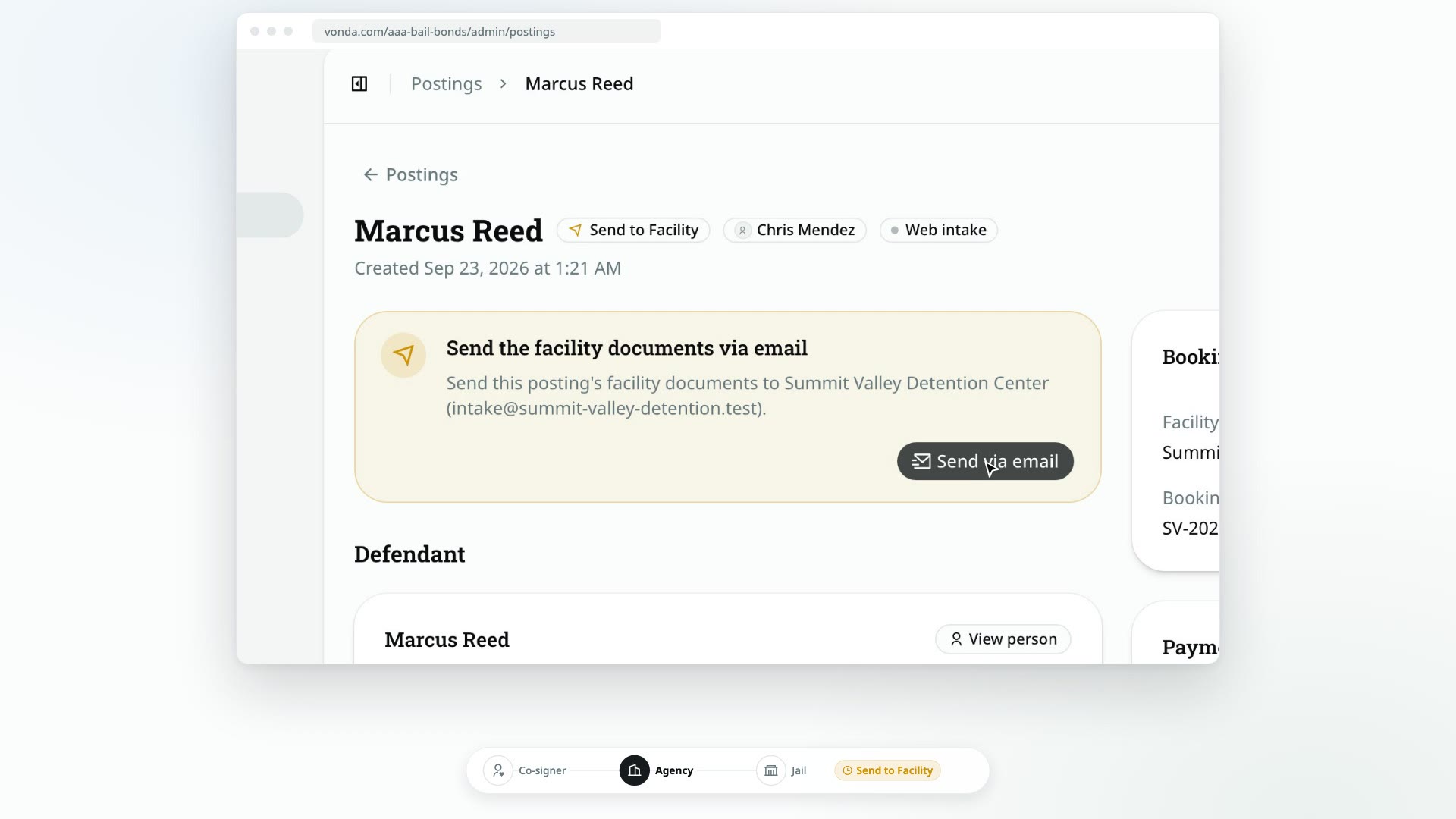
Once every co-signer has signed, the posting is ready for the jail. If the facility takes bonds by email, Vonda sends the jail a link to the posting's Appear page, where the staff read the facility documents and accept the bond. Nothing is attached to the email itself.
Before you start
- You can edit the posting. Only the posting's assigned agent or an agency admin sees Send via email.
- The posting shows Send to Facility. Every co-signer has signed. See Track who has signed.
- The facility takes bonds by email. Vonda keeps each facility's delivery method on file. When it's email, the status card says Send the facility documents via email and names the address. For a jail that takes a fax or a drop-off, see Mark the posting as sent.
- There's at least one facility document. If the status card says Facility documents missing, there's nothing to send, and the button is hidden. An admin can add a facility form in Settings → Documents, or you can attach a facility document to this posting.
Send it
Click Send via email
In the status card at the top of the posting, click Send via email.
Confirm
The Send the Appear link to the facility? dialog names the facility and the address the link goes to. Click Send.
If the email can't be sent, you'll see an error and the posting stays at Send to Facility. Try again, or call the facility and share the Appear link another way.
What happens next
- The status changes to Awaiting Approval. The ball is now with the jail.
- The facility gets an email with the defendant's name, the bond numbers, and a link to the posting's Appear page. Staff read the facility documents there and, with the facility's PIN, accept or reject the bond. See What is Appear.
- The co-signers are told by text or email that the bond documents were delivered to the facility. Their bail page shows Documents on the way.
- The Booking card now shows when the posting was sent and how, plus an Appear link you can copy.
The jail answers on the Appear page. See Mark the defendant released and Fix a facility rejection.