Mark the defendant released
Follow the jail's answer after you send a posting, and record the release yourself when the jail doesn't.
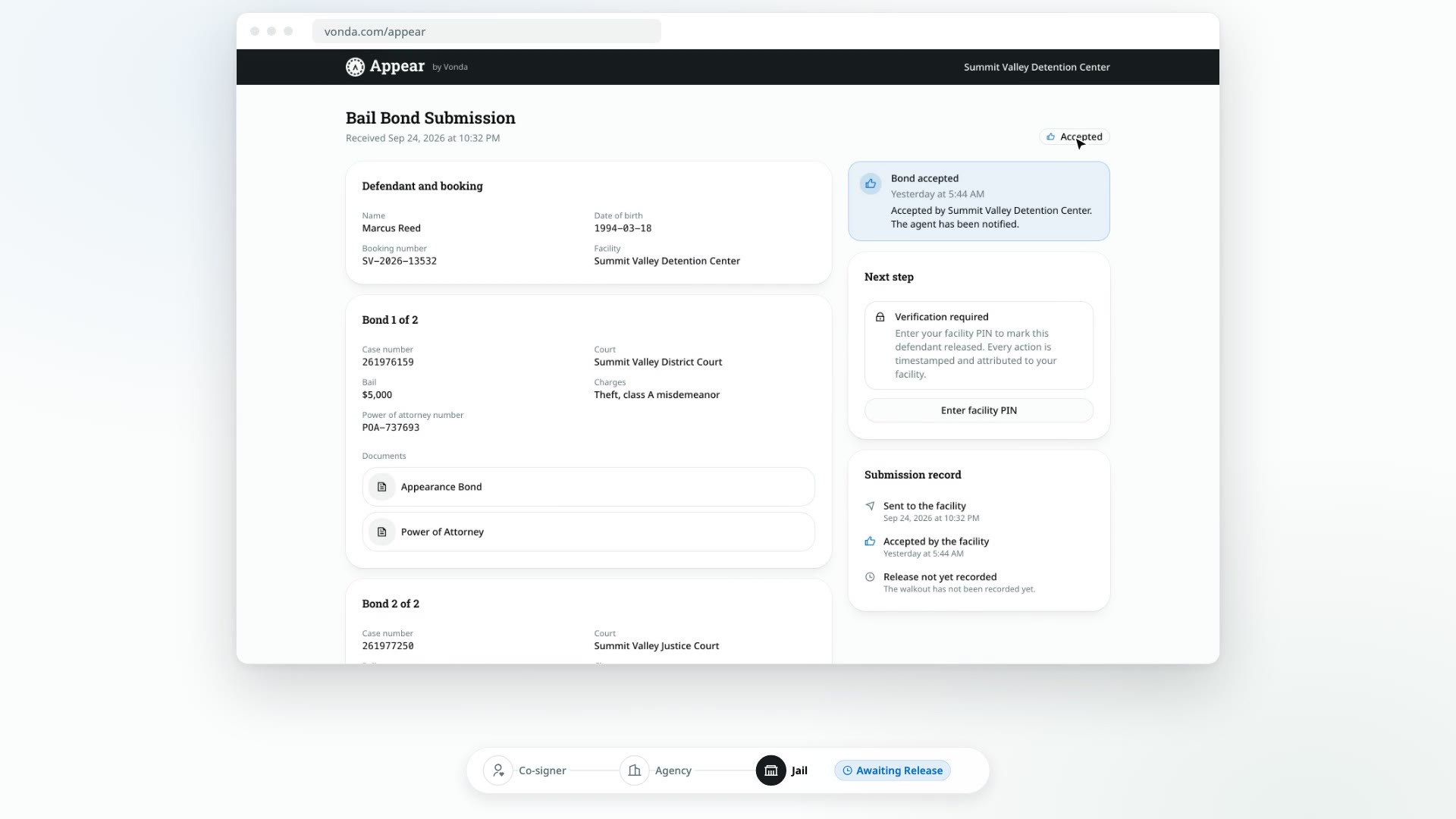
After you send a posting, the jail answers on the posting's Appear page: first by accepting the bond, then by recording that the defendant walked out. When the jail does both, the posting moves along without you. When it doesn't, you mark the defendant released yourself.
Before you start
- You can edit the posting. Only the posting's assigned agent or an agency admin sees Mark Released.
- The posting has been sent to the facility. It shows Awaiting Approval or Awaiting Release. See Email the posting to the facility or Mark the posting as sent.
Follow the jail's answer
| Badge | What it means | Who's told |
|---|---|---|
| Awaiting Approval | The jail has the posting but hasn't answered yet. | Nobody yet. |
| Awaiting Release | The jail accepted the bond. The status card says Accepted by facility. Once accepted, the jail can no longer reject it. | The assigned agent. The co-signers still see Documents on the way. |
| Released | The jail recorded the release on the Appear page. | The assigned agent and every co-signer. |
| Facility Rejected | The jail turned the posting down. See Fix a facility rejection. | The assigned agent. |
Record the release yourself
Do this when the defendant is out but the jail hasn't recorded it, for example because the jail doesn't use the Appear page, or it accepted the bond and never followed up.
Click Mark Released
On a posting that shows Awaiting Approval or Awaiting Release, click Mark Released in the status card.
Confirm
In the Mark the defendant released? dialog, click Mark released.
If the jail recorded the release at the same moment, nothing happens twice. The first one counts.
What happens next
- The status changes to Released. The Booking card shows Released with the date and time.
- Every co-signer is told by text or email that the defendant has been released, and that the bail stays active through the court case, with a reminder before each court date. Their bail page shows that the defendant is released, and that their payment plan continues if it still has principal owed.
- If you've turned on Google reviews, every co-signer is also asked for one. The release email and text, and the top of their bail page, link to your agency's Google review link. See Ask co-signers for a Google review.
- The posting now counts toward your agency's liability until it's exonerated. Next, add the defendant's court dates, and once they've all passed, exonerate the posting.