Add court dates
Record a released defendant's hearings so the co-signers are told about each one and reminded before the day.
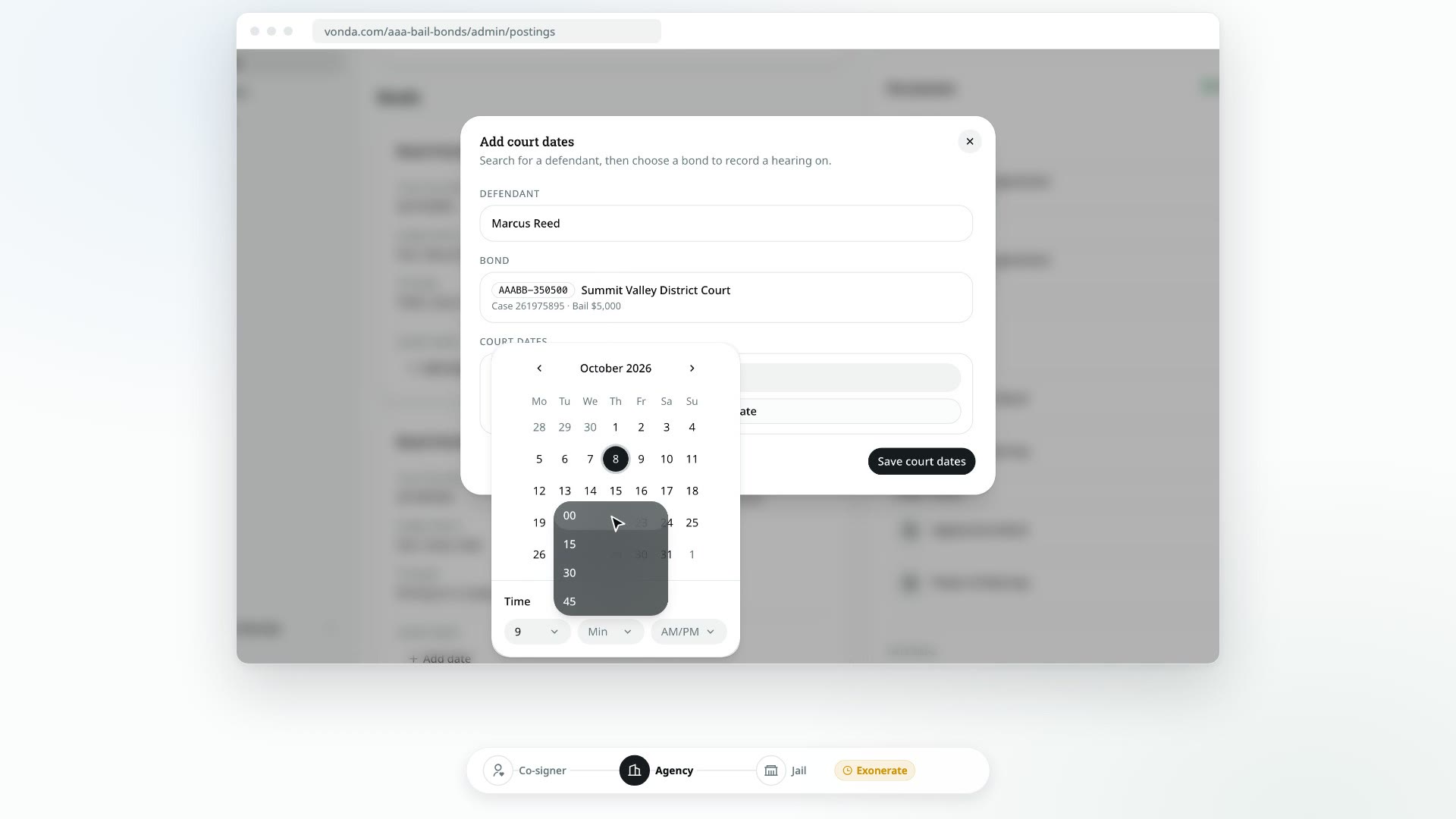
Once the defendant is out, the job is getting them to every hearing. Record each court date on the bond it belongs to. Vonda tells the co-signers about it, reminds them as the day gets closer, and keeps the posting from being exonerated until every hearing is behind the defendant.
Before you start
- You can edit the posting. Only the posting's assigned agent or an agency admin can add court dates. Anyone else doesn't see Add date on the bond, and the posting isn't offered when they search for a defendant.
- The defendant has been released. You can add court dates while the posting shows Released, Awaiting Court Date, Mark Attendance or Exonerate. You can't add them before the release, or after the posting is exonerated.
- The posting is open. A closed or archived posting can't take court dates.
- Each court date belongs to one bond. If one hearing covers two bonds, add it to each of them.
Add dates from the posting
Find the bond
On the posting, scroll to the bond the hearing is for. Under Court dates, click Add date. The Add court dates dialog opens with the defendant and the bond already filled in.
Enter the date and a title
Pick the date and time of the hearing, then type a title, for example "Arraignment". A title can be up to 80 characters.
Add more hearings if you need to
To record several hearings on the same bond at once, click Add date in the dialog for each extra row. To drop a row, click the X at its end.
Save
Click Save court dates.
Add dates from Calendars
Use this when you're catching up on several defendants and don't want to open each posting.
Open Calendars
Click Calendars in the sidebar, then click Add court dates.
Find the defendant
Under Defendant, start typing the defendant's name and pick them from the list. Only defendants on released postings you can edit are listed. If the same person has been released on more than one posting, they're listed once, with every bond from those postings.
Pick the bond
Under Bond, choose the bond from Select a bond. Each option shows the bond number, the court, the case number and the bail. If the defendant has only one bond, it's picked for you.
To go back and choose a different defendant or bond, click Change next to it.
Enter the dates and save
Enter each hearing's date, time and title, then click Save court dates.
This dialog only adds dates
The dialog doesn't show the dates a bond already has. To change or remove one, use its menu wherever it's listed. See Edit or remove a court date.
If you enter a date and time that's already recorded on the same bond, Vonda tells you This date and time is already recorded on this bond and doesn't save it again.
What happens next
- The date shows up everywhere you track hearings: on the bond's card, on the Calendars page, and under Upcoming court dates on the Dashboard once it's within the next 7 days.
- The co-signers are told. Every co-signer on the posting gets a text or an email, on the contact they verified, with the new court date.
- The co-signers are reminded. Vonda sends each co-signer a reminder 30 days, 7 days and 1 day before the hearing, at 9:00 AM your agency's time. If you add a date less than 30 days away, only the reminders still ahead are sent.
- The co-signers see it on their bail page, in the Court dates card.
- The facility sees it. The jail's Appear page shows each bond's next court date.
- The posting's badge changes to Awaiting Court Date while any hearing is still ahead.
Recording a hearing that already happened
You can add a date that's already in the past, for example to catch up on a posting's history. The co-signers aren't told about a past date and get no reminders for it. Because it's already behind the defendant, you'll need to mark attendance on it before you can exonerate the posting.