Browse the calendar
See every court date your agency has recorded, one month at a time, and add new ones.
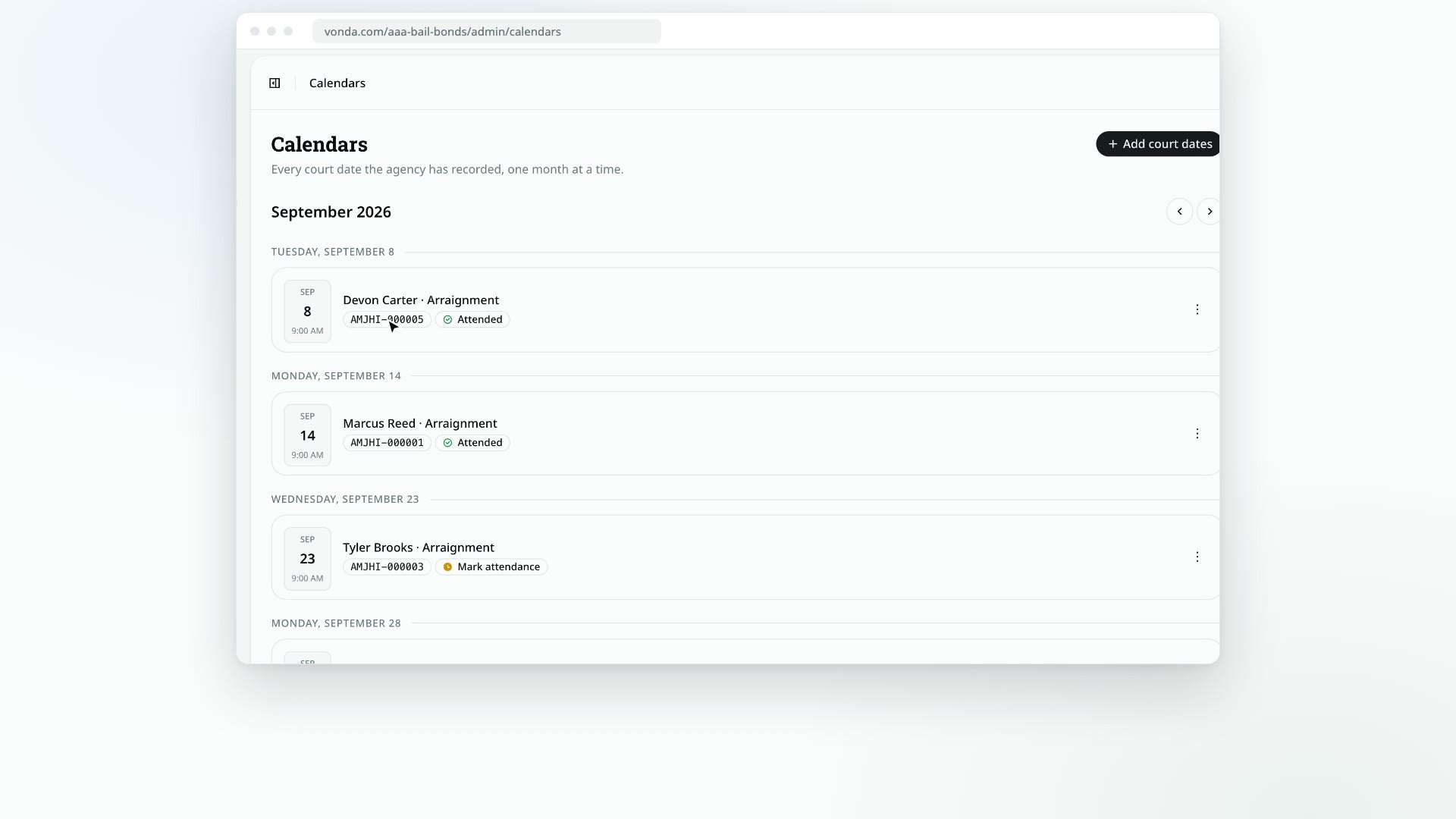
The Calendars page lists every court date your agency has recorded, one month at a time. It's the agency's shared record, so it includes past court dates and dates on postings that are already exonerated.
Before you start
- Everyone on the team sees every court date here, whoever the posting is assigned to. (The Dashboard's Upcoming court dates list is different: agents only see their own postings there.)
- Only some people can change a court date. The edit menu on a court date appears only for the posting's assigned agent or an admin, and only while the posting is Released and hasn't been closed or archived.
Browse by month
Open Calendars
Click Calendars in the sidebar. The page opens on the current month.
Move between months
Use the arrows next to the month's name to go to the previous or next month. Court dates are grouped by day, earliest first. A month with nothing scheduled says No court dates in that month.
Open a posting
Each court date shows the defendant, the title of the hearing, the time and the bond numbers. Click it to open the posting.
Change a court date
If you can edit a court date, open the menu on its card:
- Edit changes the date, time or title.
- Remove takes it off the calendar. The co-signers are told, and its reminders are cancelled.
- Mark attended, Mark missed and Clear attendance appear once the date has passed.
For the details, see Edit or remove a court date and Mark court attendance.
Add court dates
Click Add court dates at the top of the page. Search for the defendant, pick the bond, then add one or more dates. Court dates can only be added to a posting that is Released. Each co-signer on the posting is told about every new date and gets reminders before it. See Add court dates.