Read your reports
See how much your agency has collected, what its payment plans still owe, how much liability it carries, and where your open postings are.
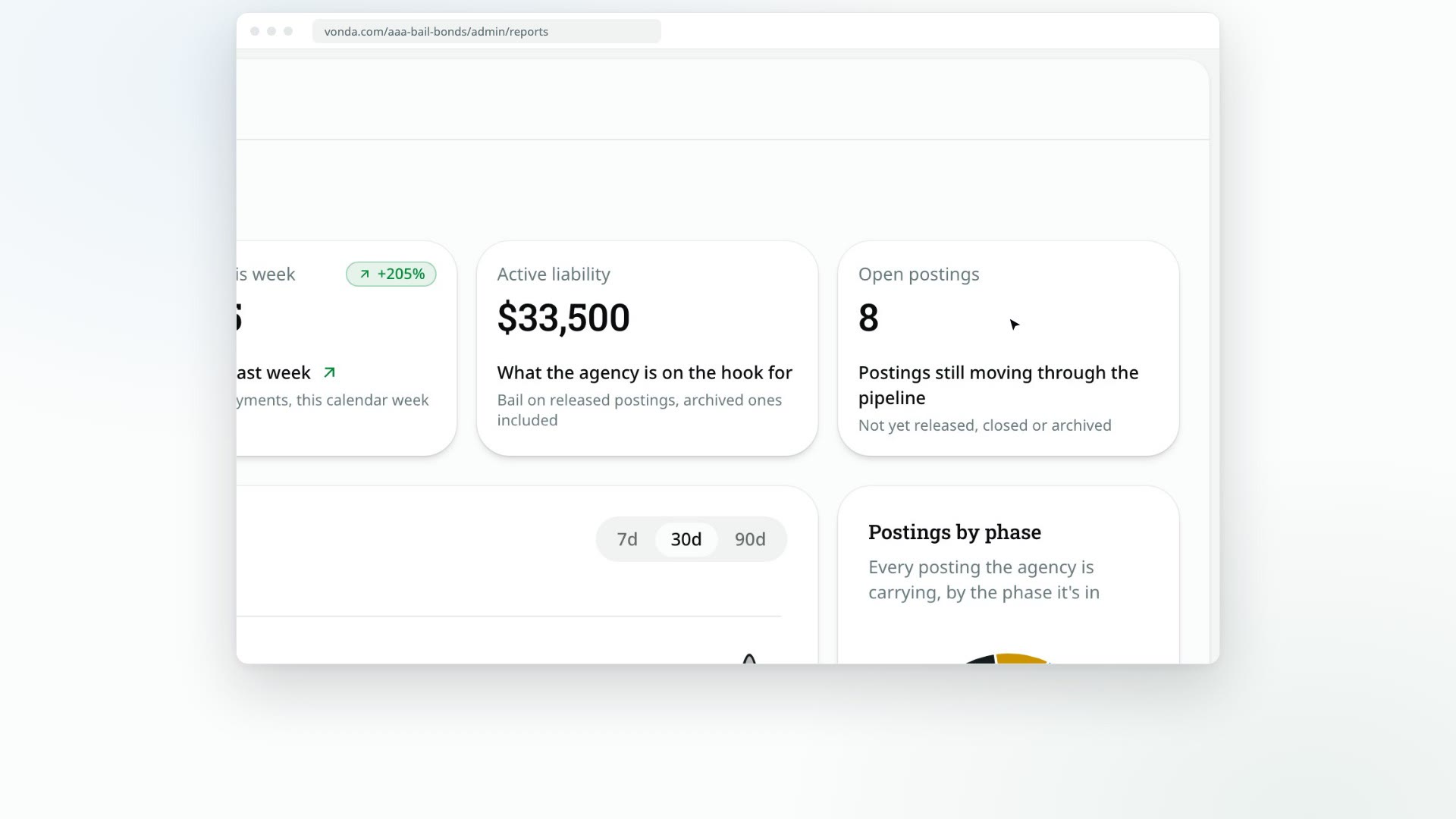
The Reports page gives admins a quick read on the business: money collected, what your payment plans still have to collect, the collateral you hold, the bail your agency is on the hook for, and how the postings in progress are spread across the job.
Before you start
- Only admins see Reports. Agents don't have it in the sidebar, and opening the page as an agent takes you back to the Dashboard.
- The numbers update on their own while the page is open.
Read the tiles
| Tile | What it counts |
|---|---|
| Collected this month | Completed payments since the start of this calendar month. Underneath, it says whether that's up, down or flat against the same stretch of last month: on the 10th at noon, last month's 1st to noon on its 10th. If last month collected nothing at all, it says there's no last month to compare against. |
| Collected this week | Completed payments since Monday, compared the same way with last week. Like Collected this month, it never includes collateral. |
| Outstanding on plans | The principal still owed across your running payment plans, without interest not yet earned. Underneath, it says how many plans that covers and how many of them have an overdue payment. A plan stops counting once it's paid off. See Collect installments and payoffs. |
| Collateral held | The collateral your agency is holding right now, in total, and how many postings hold it. Only collateral that has been paid and not yet returned or forfeited counts. It's never part of Collected, because it isn't revenue: the family gets it back unless you keep it to cover a loss. There's no period or comparison, since it's a balance, not a flow. View postings opens the Postings page on Holding collateral. |
| Active liability | The total bail on every posting where the defendant has been released and the posting isn't exonerated yet. Archived postings still count, because your agency is still on the hook for them. That's why this can be more than the Liability shelf on the Postings page, which lists only the ones that aren't archived. |
| Open postings | Postings that haven't been released, closed or archived yet. |
A payment counts on the day it's marked completed, whether the co-signer paid online, you confirmed their receipt, or you recorded it yourself. On a payment plan, the down payment and each installment count when they're paid.
Read the Collections chart
Collections shows the money collected each day. Pick 7d, 30d or 90d in the top right to change the range. The line under the title gives the total for that range. Hover over a day to see its amount. Collateral isn't part of it.
Read Postings by phase
Postings by phase splits the postings you're carrying into five phases, with the total in the middle:
- Intake: new requests, reviews, and waits on the co-signer for information or another co-signer.
- Payment: approved and waiting on payment, including rejected payments and payment plan requests.
- Documents: documents being prepared, sent for signature, or signed and ready to send.
- At facility: paperwork at the jail, including bonds the jail rejected.
- Liability: the defendant is released.
Closed, archived and exonerated postings aren't counted.
Rejected payments and rejected facility submissions are counted inside the Payment and At facility phases, so this chart won't flag them. Watch the Dashboard for those: a rejected payment waits in the Waiting for cosigner lane, and a facility rejection in Waiting for agent.