Sign in to Vonda
Sign in with a one-time code sent to your email, and set your name the first time you sign in.
Vonda doesn't use passwords. Every time you sign in, you type your email address and Vonda sends a 6-digit code to it. Entering the code signs you in.
Before you start
- You need an account. You can't sign up on your own. An admin at your agency adds you from the Team page, and you get an email titled "You've been added to" your agency's name, with a Sign in to Vonda button. See Add a team member.
- Use the address your admin added. Vonda only sends codes to email addresses that have an account.
Sign in
Enter your email
Open the sign-in page. Under Welcome back, type your Email and click Continue.
Enter the code
The Verify your email dialog reads "If an account exists for" the address you typed, "we sent it a verification code." Type the 6 digits. Vonda checks the code as soon as you type the last one, so there's no button to press.
- Wrong address? Click Change email to go back and fix it.
- No code yet? Check your spam folder. After 30 seconds you can click Resend code to get a new one. If it still doesn't arrive, check the address: the dialog looks the same whether or not the address has an account, but Vonda only sends a code to one that does.
Start working
Vonda opens the agency you visited last. If you belong to more than one agency, you can switch at any time. See Find your way around.
The first time you sign in
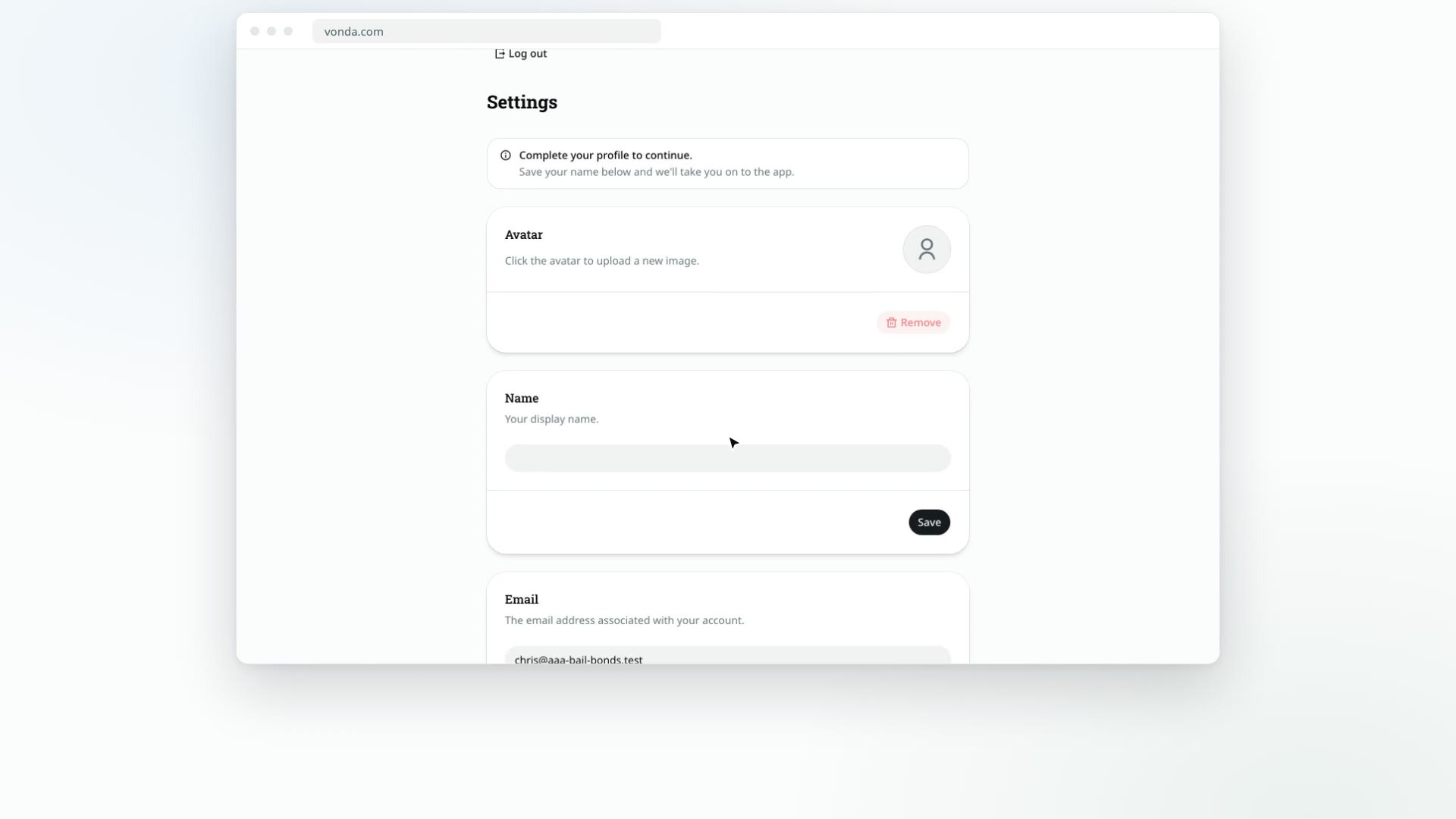
If your account has no name yet, Vonda sends you to your own Settings page with the message Complete your profile to continue. You can't open your agency until you've set a name. The page has a Log out button at the top instead of a Back link, in case you need to leave before saving.
Add your name
In the Name card, type your name (2 to 32 characters) and click Save.
Go to your agency
As soon as your name is saved, Vonda takes you on to your agency, or to the page you were opening when it stopped you.
While you're on the Settings page, it's worth adding your photo, license number and phone number too. See Edit your profile.
If something goes wrong
- "Invalid or expired code. Try again." The code was mistyped or is too old. Click Resend code and use the newest one.
- No agencies. You're signed in, but you aren't a member of any agency. This happens if an admin removed you. Ask your agency's admin to add you again. You can click Log out from this page.
- Agency Deactivated. Your agency's account is switched off, so its console and intake are unavailable. Only Vonda can turn an agency back on: the page gives the Vonda support email address to contact.