Open a submission
For facility staff. Open a bail bond submission from its email link and find the defendant's details, each bond and its documents.
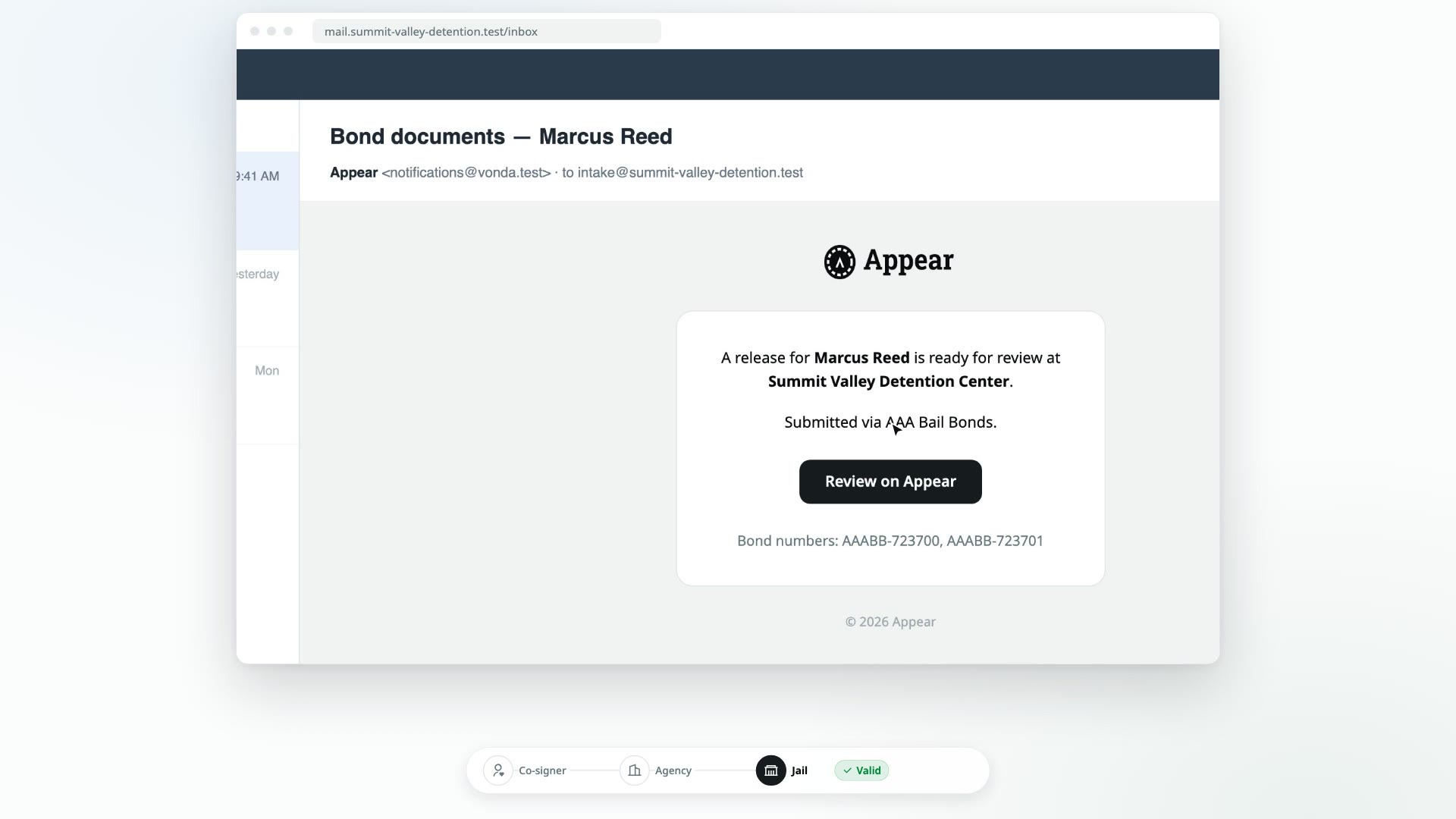
Every submission an agency sends you opens on one Appear page. You don't need to sign in or enter anything to read it. Your facility's PIN is only needed when you act on it.
Before you start
- You need the submission's link. It usually arrives in an email with the subject Bond documents, followed by the defendant's name.
- Any web browser works, on a desk computer or a phone.
Open it
Click Review on Appear
In the email, click Review on Appear. The email also lists the bond numbers and the agency that submitted them, so you can match it to the paperwork you're expecting.
Check the top of the page
The page is titled Bail Bond Submission, with the time your facility received it and a status, such as Valid. Your facility's name is in the header bar. See Statuses for what each status means.
Read the defendant and booking
The Defendant and booking card shows the defendant's Name, Date of birth, Booking number and Facility.
Read each bond
There's one card per bond. If the agency posted more than one, they're labeled Bond 1 of 2, Bond 2 of 2 and so on. Each card shows the Case number, Court, Bail, Charges and Power of attorney number, and the Next court date if the agency has recorded one.
Open the documents
Each bond's documents are listed at the bottom of its card, under Documents. Click a document to open it on the page.
If the card says The agency is still preparing the paperwork for this bond. This list may not be complete yet — check back in a moment., the list isn't final yet. Wait a moment and look again before you rely on it. If a document says Preview unavailable — refresh in a moment., refresh the page.
Check who sent it
The Issuing agency card shows the agency's name, license and phone number. The Producing agent card shows the same for the agent handling the bond. If no agent is assigned, those fields show a dash.
On the right side of the page
- A status banner that says where the submission stands and what to do, or not do, with it.
- Next step, when there's something for your facility to do. This is where you enter your PIN and act. See Enter your PIN.
- Submission record, which shows when it was sent to you and what your facility has done with it since.
If the page says Not found
If you see Not found and This link doesn't match an active bond submission., the link isn't valid. It may be mistyped, or the submission may not have been sent yet. Contact the agency directly and ask them to resend it. Don't rely on paperwork that doesn't have a working Appear page.
What is Appear
For jail and detention facility staff. How bail bond submissions reach your desk on Appear, and how your facility's PIN protects every decision.
Statuses and the submission record
For facility staff. What each status, banner and milestone on an Appear submission means, and what you can do in each.