Accept a submission
For facility staff. Confirm that a bail bond submission checks out, so the agency knows it can expect the release.
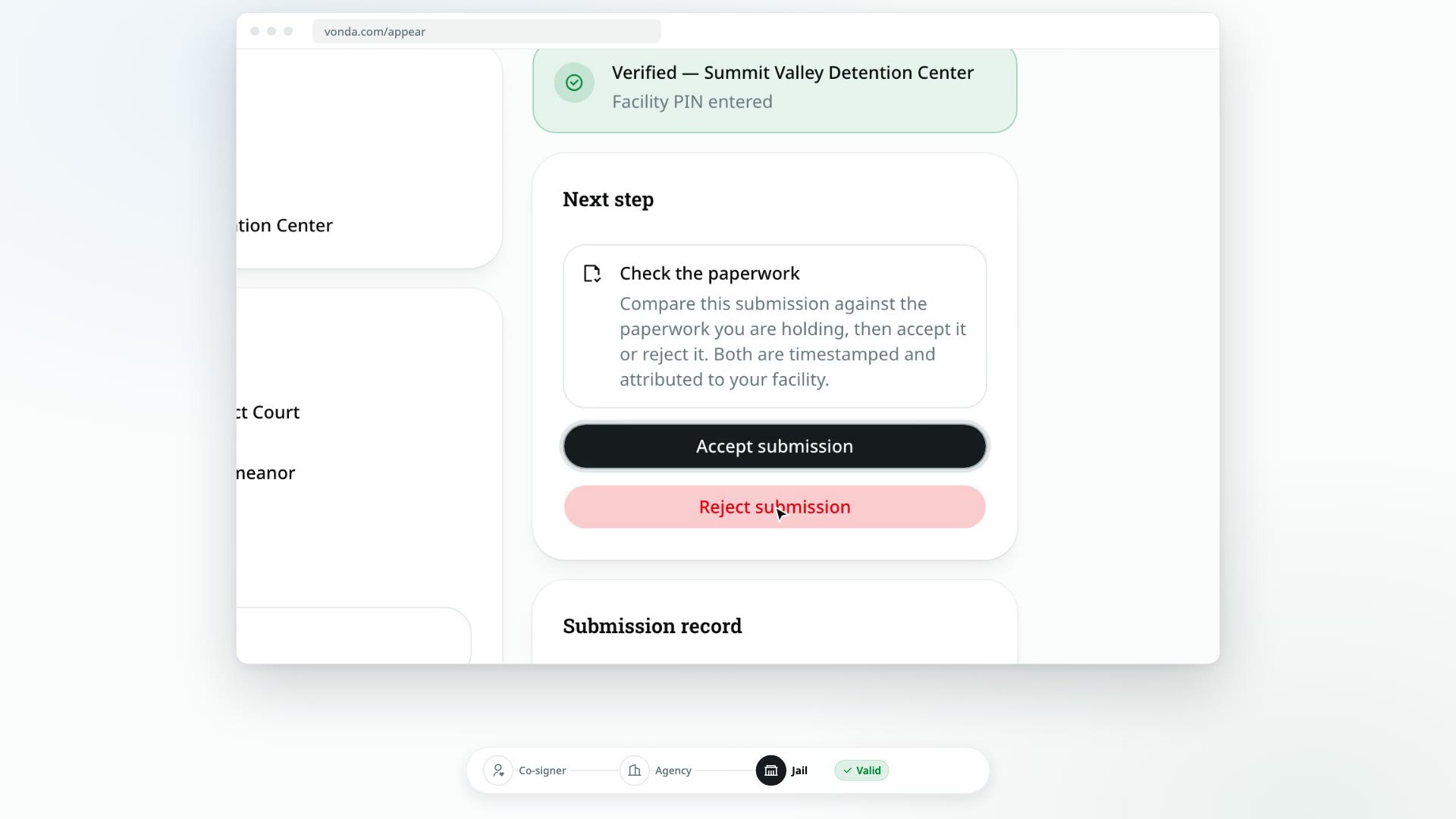
Accepting a submission is your facility's yes: the paperwork checks out and the defendant can be released on it. It's definitive. Once you accept, you can't reject the submission afterwards.
Before you start
- The submission is Valid. You can only accept a submission the agency has sent and nobody has answered yet.
- You've entered your facility PIN. See Enter your facility PIN.
- You have the paperwork in front of you, or have opened the documents on the page.
Accept it
Check the paperwork
Under Check the paperwork, compare the submission with what you're holding: the defendant's name, date of birth and booking number, and for each bond the case number, court, bail, charges and power of attorney number. Open each bond's documents to check them too.
If anything is wrong, don't accept. Reject the submission instead.
Click Accept submission
In the Next step card, click Accept submission.
Confirm
The Accept this submission? dialog reminds you that accepting is definitive. Click Accept.
What happens next
- The status changes to Accepted. The banner reads Bond accepted, and the Submission record shows Accepted by the facility with the time.
- The agency is told. The agent handling the bond is notified that your facility accepted it.
- The family isn't told yet. The defendant's co-signers only hear once the defendant is released, so they don't head to the jail too early.
- Next, record the walkout. When the defendant is released, mark them released.