Team
View your team and roles
See who works at your agency, their role and duty status, and what admins and agents can each do.
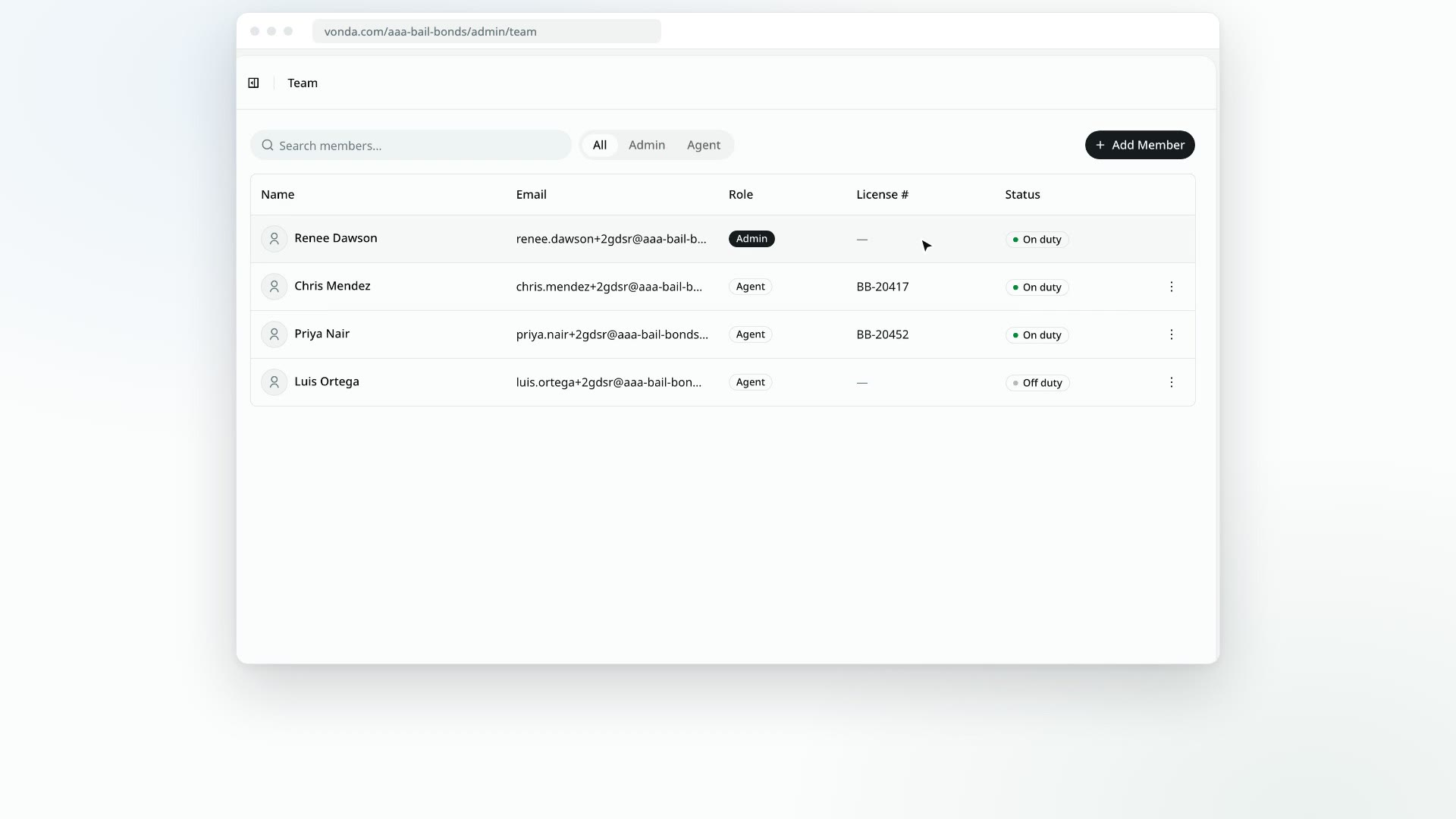
The Team page lists everyone who works at your agency in Vonda. Everyone on the team can open it. Only admins can change it.
Open the Team page
Click Team in the sidebar. The table shows:
- Name, with the person's photo.
- Email, the address they sign in with.
- Role: Admin or Agent.
- License #: the license number from the agent's profile. Admins show a dash here.
- Status: On duty or Off duty.
Use Search members... to find someone by name or email. The tabs next to it, All, Admin and Agent, show everyone, only admins or only agents.
Admins and agents
Every member is either an admin or an agent.
| Agent | Admin | |
|---|---|---|
| See the Dashboard, Postings, Calendars, People and Team | Yes | Yes |
| Start reviewing an unassigned posting, which assigns it to them | Yes | Yes |
| Create a posting from the console | Yes | Yes |
| Work on a posting: price it, approve it, handle payments and documents | Only postings assigned to them | Any posting |
| Dashboard board shows | Unassigned postings and their own | Every open posting |
| Reassign, close, archive or delete a posting | No | Yes |
| Settings and Reports | No | Yes |
| Add or remove members, change roles, set someone else's duty status | No | Yes |
Controls you're not allowed to use are hidden, not greyed out. If you don't see a button a teammate mentions, your role probably doesn't include it.
Related tasks
- Add a team member
- Manage team members: change a role, set someone's duty status, or remove them.
- Go on or off duty: change your own status.