Find a person
Look up any defendant or co-signer your agency has worked with, across all of their postings.
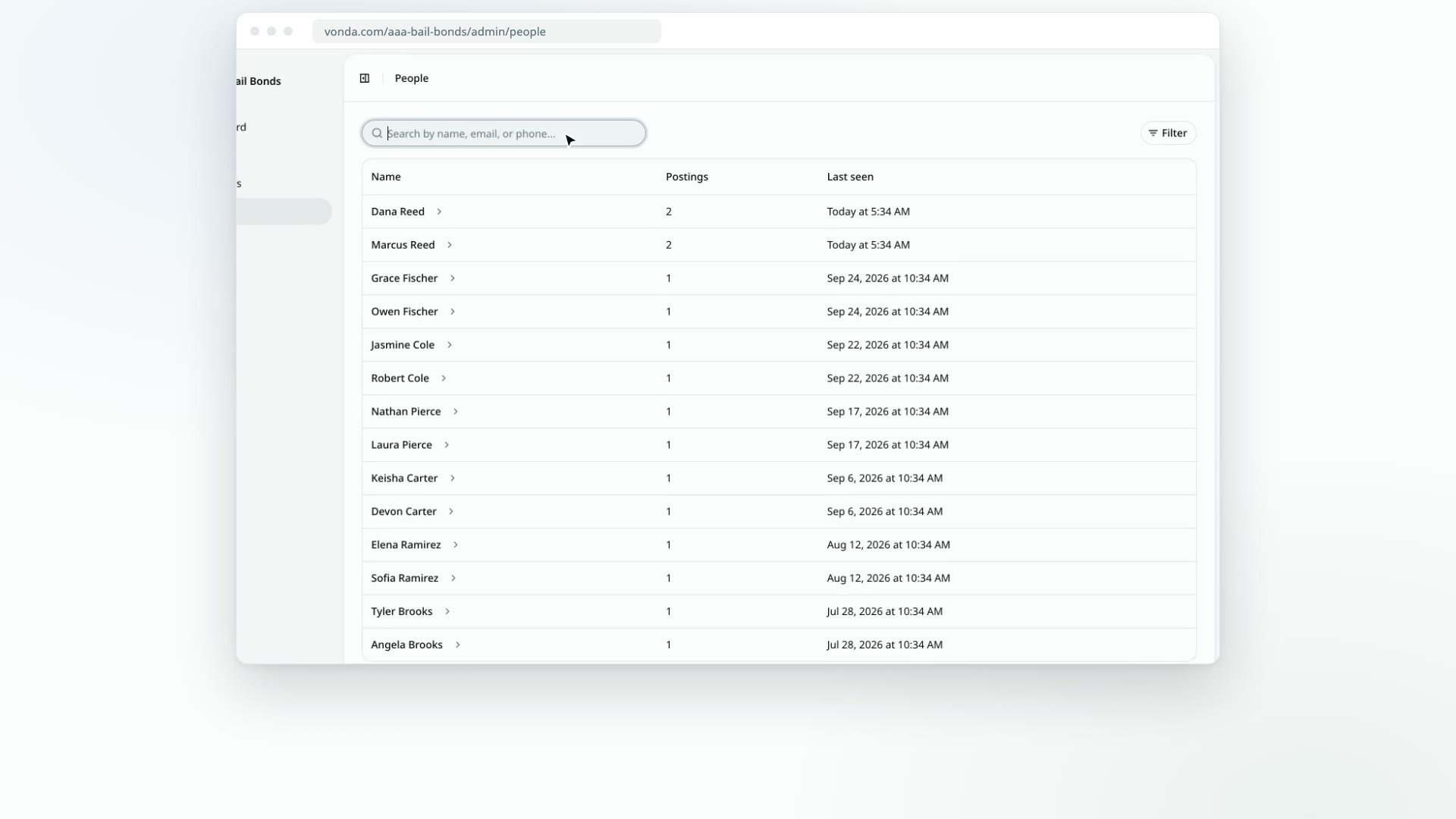
The People page lists everyone who has been on one of your agency's postings, as a defendant or as a co-signer. A person who comes back for a second bail request is still one row, so you can see at a glance who is new and who you've helped before.
Before you start
- Anyone in your agency can use it. Agents and admins see the same list.
- It only shows your agency's people. Nobody from another agency on Vonda ever appears here, and your people never appear in theirs.
- People are added for you. A co-signer is added once they verify their contact when they start a bail request. A defendant is added with the posting they're on. You can't add, edit or delete a person from this page. To correct someone's details, edit them on the posting.
Find someone
Open People
Click People in the sidebar. The list starts with the people you've seen most recently.
Search
Type in Search by name, email, or phone... to narrow the list.
Filter the list
Click Filter. The menu has two sections, and you can tick several options in one go:
- Role: tick Co-signer or Defendant. Someone who has been both shows up under either choice.
- Active postings: tick Has active postings or No active postings to see who has work in progress with you. A posting counts as active until it's closed or archived.
The filters you pick appear as chips above the list. Click the × on a chip to drop it, or Clear filters to drop them all.
Open their profile
Click the person's name to open their profile. See Read a person's profile.
What the list shows
| Column | What it means |
|---|---|
| Name | The person's name. Click it to open their profile. |
| Postings | How many of your agency's postings they've been on, in any role. |
| Last seen | When they last came through on a posting. |
If your agency hasn't taken any postings yet, the page says No people yet.